The window
Open a project in a window of its own: its objects and their properties, its scripts checked as you type, a Run button with the program's output, and every change in a list you can step back through.
One command opens it. Run it again and the open window comes forward instead of a second one.
shot open Shop.shotsystem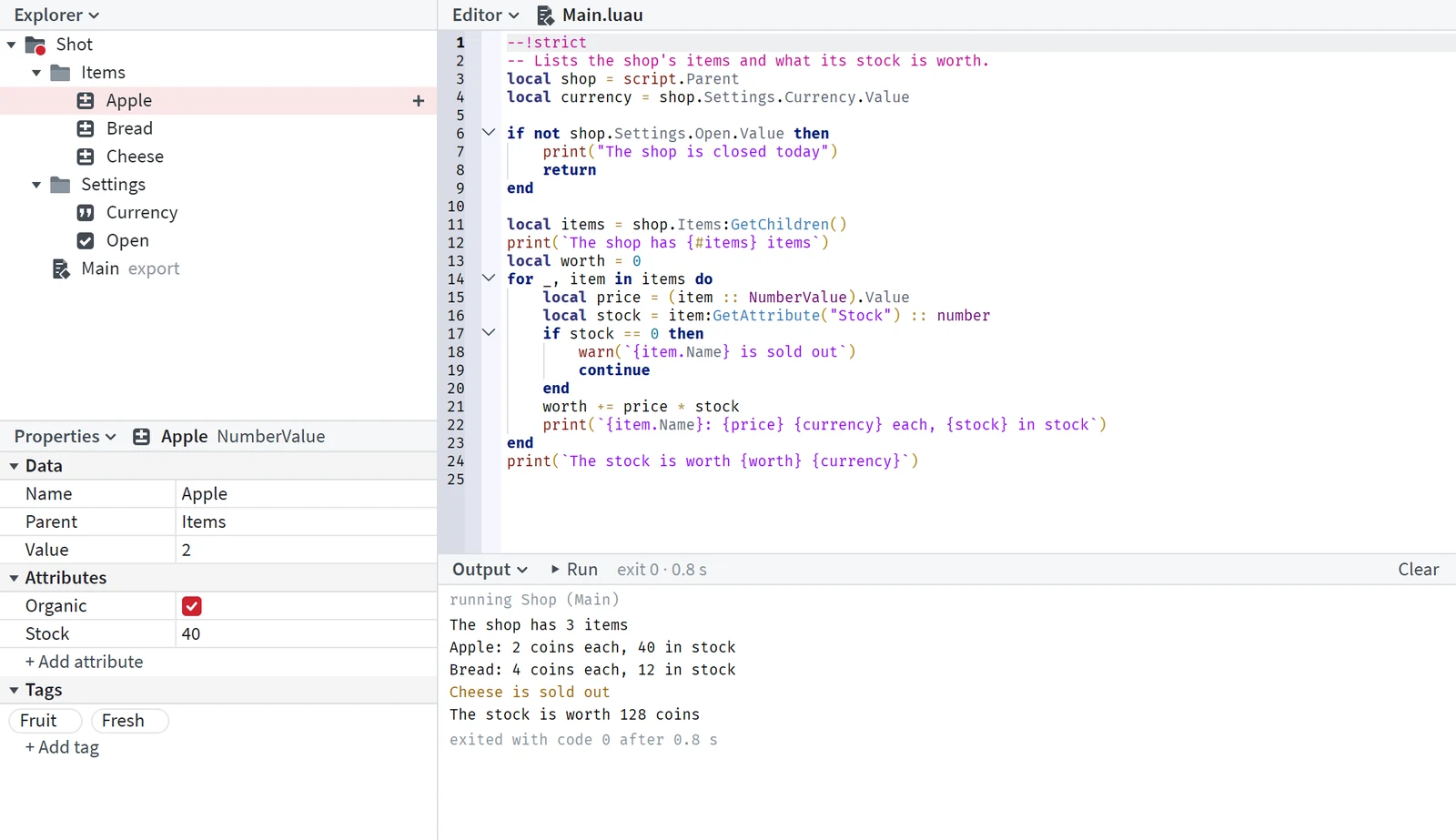
Objects and their properties
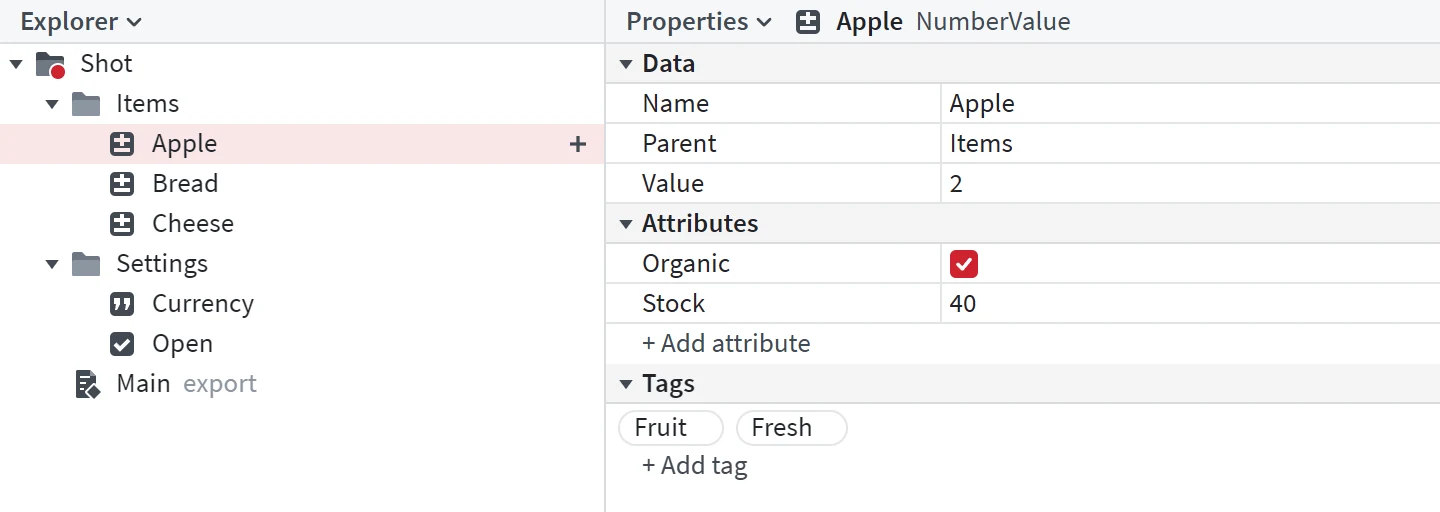
Click an object in the Explorer and the Properties beside it show everything it holds: its name, its parent, its value, its attributes and its tags. Set a value in place, add an attribute or a tag, and the project has the change.
The plus beside a row inserts a new object under it. A new module, class or program starts from a template that checks clean.
Edit and run
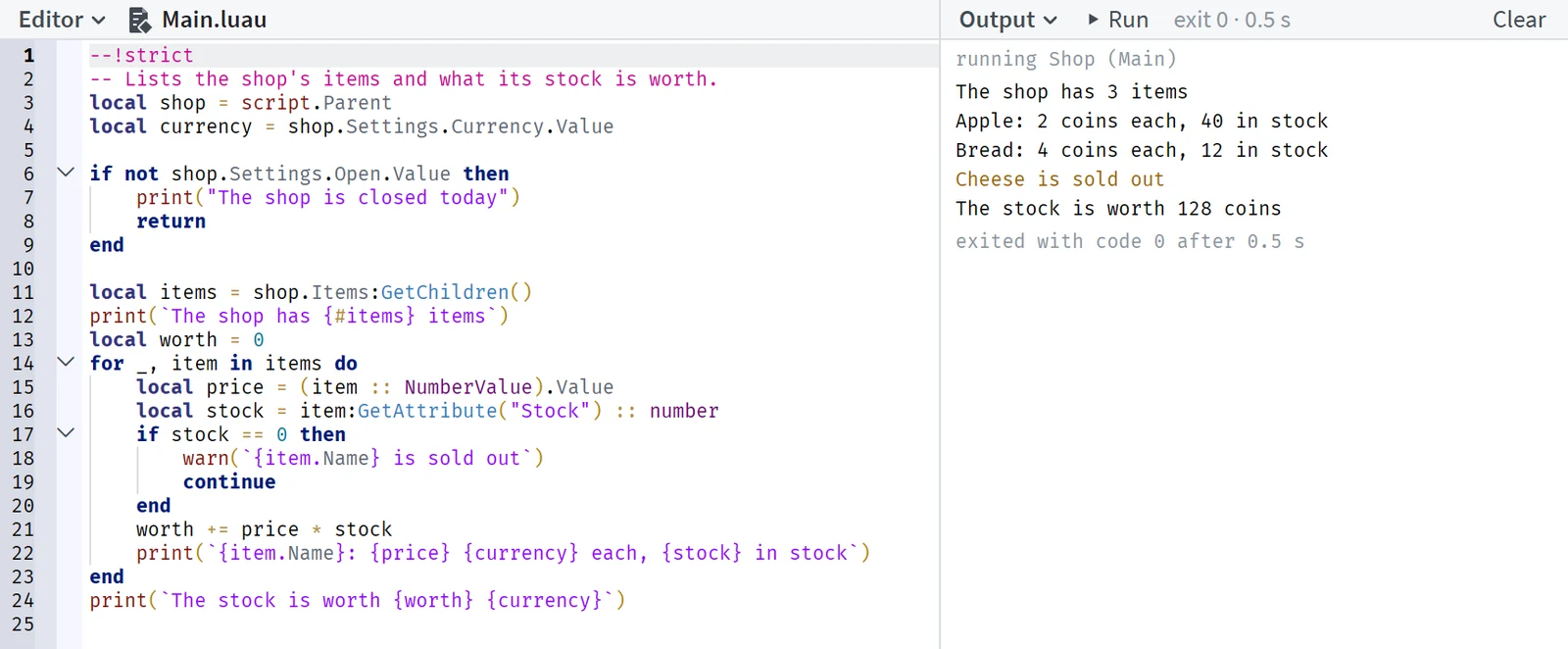
Click a script and it opens in the Editor, checked as you type. Press Run, or F5, and the project runs: what it prints, warns and errors shows in the Output as it happens, and an error opens its line. Stop, or Shift+F5, ends the run and everything it started.
Take a change back
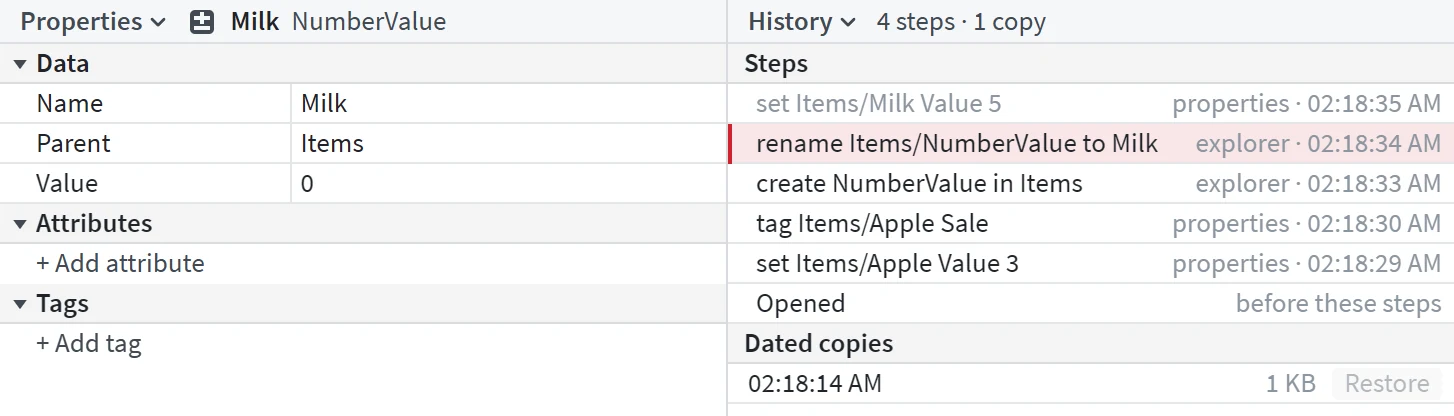
Every change is a step in the History, with who made it and when. Ctrl+Z takes the last one back, and the undone step stays in the list, greyed. Dated copies of the project sit under the steps: Restore brings one back, as a step of its own that Ctrl+Z takes back too.