 ShotScript
 Mime
MimeCatch "is not a valid member" before you press Play
You know the loop. Press Play, walk over to the thing you just scripted, and the Output window goes red. Stop, fix the line, Play again, walk back. Roblox reports an error only when its line runs, and a handler stops at its first one, so a script with two mistakes in it takes two trips.
Since 21 October, ShotScript checks the scripts of an imported place against Roblox's own type definitions and against the place itself. game, workspace and script are typed from what's really in your world, and every script is checked in Luau's strict mode. We built a small obby with the usual mistakes in it to see what comes out.

The obby
We made the place just for this article. It has lava, a gate that opens when you click it, a stage counter on the leaderboard and a Skip button, with six scripts between them. We saved it as Obby.rbxl and ran two commands:
shot import Obby.rbxl Obby.ssp
shot check Obby.ssp
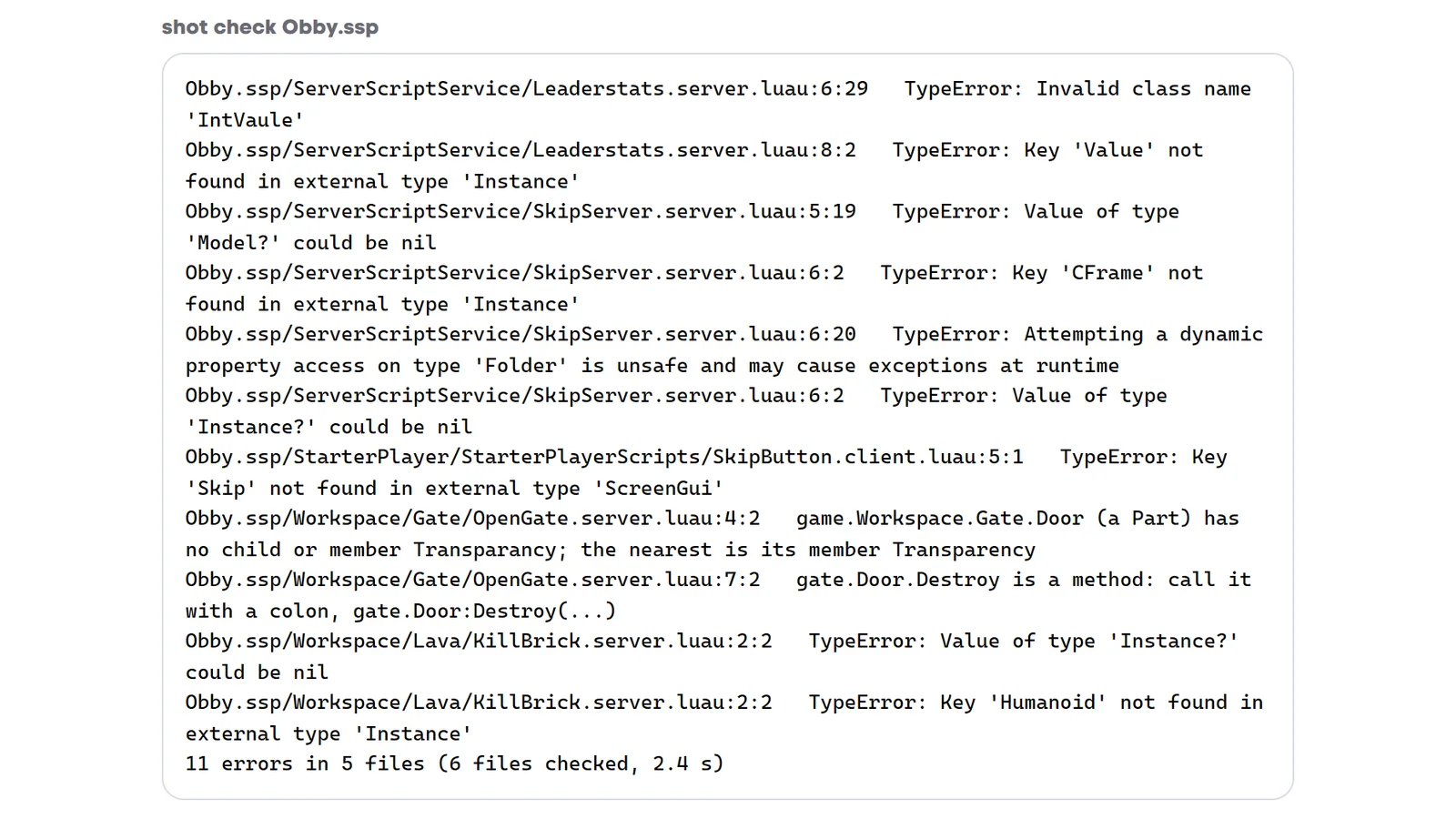
The import took 0.2 seconds. The check read all six scripts in under 3 seconds and found 11 errors in five of them. Here they are, script by script, next to what Roblox would have told you.
The gate
The gate script has two mistakes, and in a game you'd meet them on two separate Plays.


Click the door and line 4 stops with Transparancy is not a valid member of Part "Workspace.Gate.Door". You fix it, play again, click again, wait three seconds, and line 7 stops with Expected ':' not '.' calling member function Destroy.
The check lists both at once. Look at how the first message starts, with game.Workspace.Gate.Door (a Part). It knows script.Parent is the Gate model because that's where the script sits in the place, and it knows Door is a Part because the place has a Part called Door in that model. For the dot call it writes out the line you want.
The kill brick
Most obbies have this script somewhere:
script.Parent.Touched:Connect(function(hit)
	hit.Parent.Humanoid.Health = 0
end)
It works as long as only players touch the lava. The first time a loose part lands in it, hit.Parent is Workspace, and Roblox stops the handler with Humanoid is not a valid member of Workspace "Workspace". That one usually turns up in a live server's log weeks later, after somebody drops something near the lava.
Strict checking gives two errors on that line. hit.Parent can be nil, since a part can be removed in the same moment it touches something. And when it's there, all the checker knows is that it's an Instance, which has no Humanoid. This version checks clean:


A character that isn't there yet
The Skip button's server half moves the player to a checkpoint. These are its first six lines:
local remotes = game.ReplicatedStorage.Remotes

remotes.BuySkip.OnServerEvent:Connect(function(player, stage)
	local character = player.Character
	local rootPart = character:FindFirstChild("HumanoidRootPart")
	rootPart.CFrame = workspace.Checkpoints["Stage" .. stage].CFrame + Vector3.new(0, 3, 0)
Press Skip while your character is respawning and player.Character is nil, so Roblox says attempt to index nil with 'FindFirstChild'. The check says:
Obby.ssp/ServerScriptService/SkipServer.server.luau:5:19 TypeError: Value of type 'Model?' could be nilColumn 19 is the word character. Line 6 gets three more. rootPart could be nil as well, a plain Instance has no CFrame, and Checkpoints["Stage" .. stage] looks a child up by a name nobody can know in advance. That last one matters more than it looks, because stage comes from the client, and a player can send whatever they like.
The version that passes asks for each thing before it uses it:
	local character = player.Character
	if not character then
		return
	end
	local rootPart = character:FindFirstChild("HumanoidRootPart")
	local checkpoint = workspace.Checkpoints:FindFirstChild("Stage" .. tostring(stage))
	if rootPart and rootPart:IsA("BasePart") and checkpoint and checkpoint:IsA("BasePart") then
		rootPart.CFrame = checkpoint.CFrame + Vector3.new(0, 3, 0)
	end
A class name with a typo


In a game, Instance.new("IntVaule") stops the script with Unable to create an Instance of type "IntVaule". It happens inside PlayerAdded, so every player who joins gets an empty leaderboard. The check calls it an invalid class name and points at the column where the name starts.
The second error comes from the first. With no class to go on, stage is a plain Instance, and a plain Instance has no Value. Fix the name and the second error goes too. We tried it, and the line then gets a new complaint of its own, because "1" is a string and an IntValue holds a number:
Obby.ssp/ServerScriptService/Leaderstats.server.luau:8:16 TypeError: Expected this to be 'number', but got 'string'One that's only strict
One message in the list isn't something Roblox would trip over:
Obby.ssp/StarterPlayer/StarterPlayerScripts/SkipButton.client.luau:5:1 TypeError: Key 'Skip' not found in external type 'ScreenGui'The client script finds the Hud with player.PlayerGui:WaitForChild("Hud") and then uses hud.Skip. In a game that works, because the Hud is copied into PlayerGui with its button inside. The checker knows the Hud is a ScreenGui but can't see what PlayerGui will hold once the game runs, so it wants the button fetched the same way as the Hud:
local skip = hud:WaitForChild("Skip") :: TextButtonWhat still waits for Play
The check reads your scripts without running them, so a few things stay hidden until you play. We left some in on purpose. workspace:WaitForChild("Checkpionts"), with two letters swapped, passes the check and then waits forever in the game, with Infinite yield possible on 'Workspace:WaitForChild("Checkpionts")' in the Output. A LocalScript sitting in Workspace passes too, and never runs. So does a FireServer call in a server script.
With everything fixed
Once all six scripts were fixed, the same command printed:
0 errors (6 files checked, 2.4 s)shot export Obby.ssp Obby2.rbxl then wrote the place back out with all six scripts where they started, ready to open in Studio.
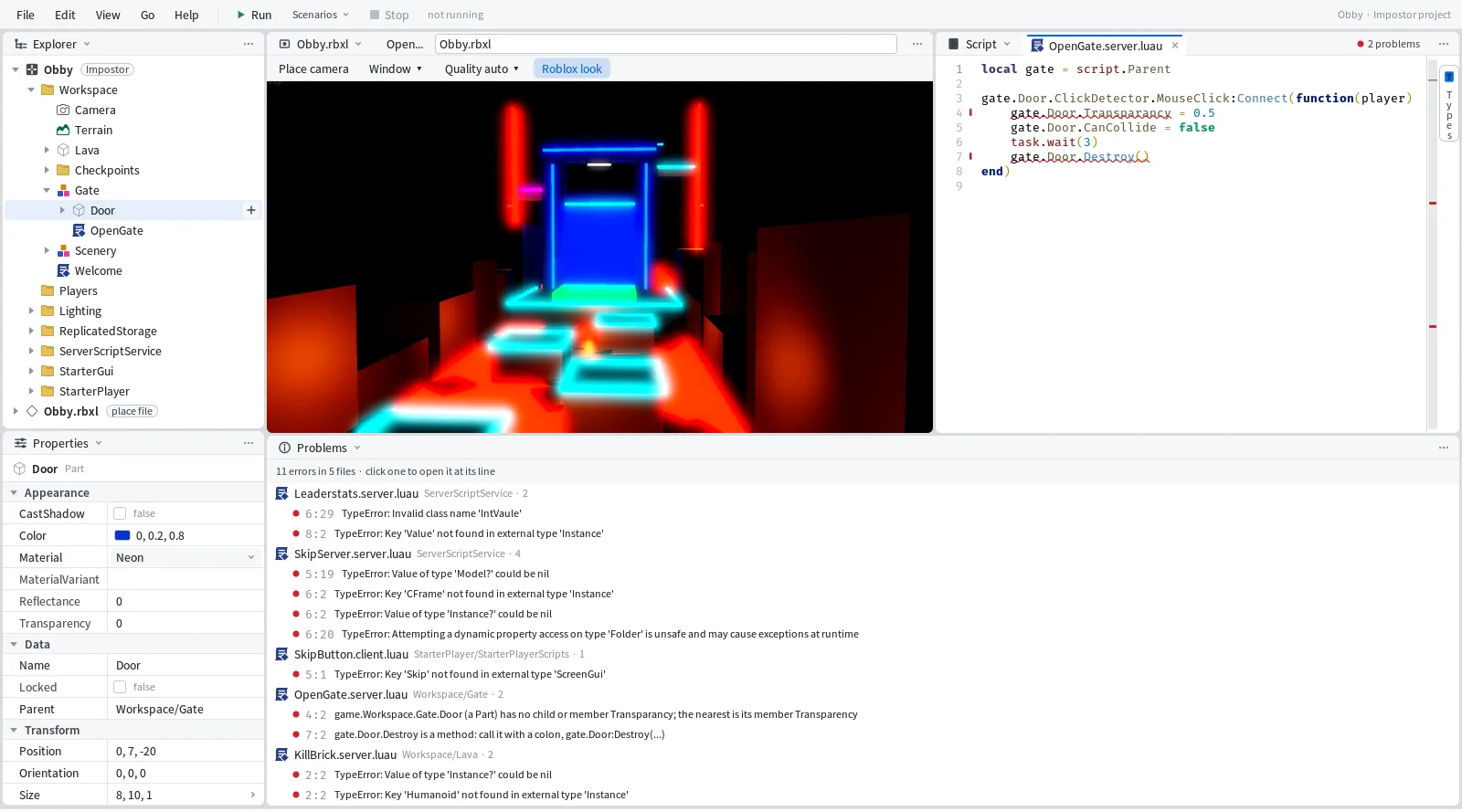
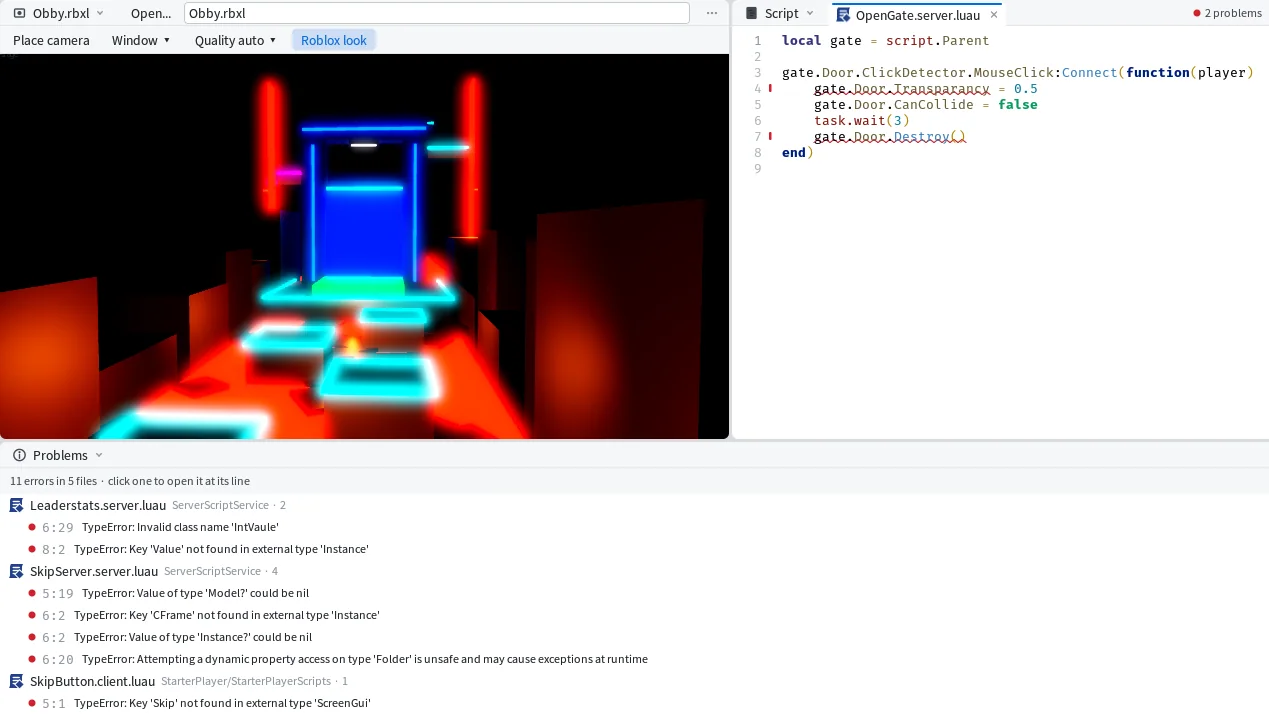
In Mime you don't have to run anything. The same check runs while you type, each of these lines gets a red underline in the Editor, and the Problems pane lists them in shot check's words.