
 ShotScript
 Stroke Engine
Generic classes with bounds, Archive Selection, a faster Docs and Lens Shift
Here is everything that went live on Saturday, 21 November: generic classes with interface bounds and stricter export lines in the ShotScript language, Archive Selection, a faster Docs and F2 renames of table fields in ShotScript Editor, and Lens Shift, deeper haze and linear-light frames in Stroke Engine. Generic classes come first: a plain generic can now take an interface bound, and a subclass fills its parent's generics.
Generic classes
- In
class SplitPoint<T : Lerpable<T>>, a T value has the interface's members, and every place T is chosen must have them. - When a generic bound's interface sits in a system the class can't name, the check says to import it or make its system a Global.
- A subclass fills its parent's plain generics by name or position, as in
extends SplitPoint<Color3>. Its inherited fields and constructor then read T as Color3. - A generic class's overloaded constructors are picked by how many arguments a call passes. A call that fits none names the overloads.
- A generic your class or interface declares, read in a type alias or member signature outside it, is an error naming where to declare it.
- Find Usages on a script's type never lists a generic of the same name, such as a class's
<Item>.
More in the language
export system set S = ...is exactlysystem set S = ...plusexport S.- An export line takes one name:
export TimerLook, SplitLookis an error whose fix writes one export line per name. - A subclass in another system can use the internal members its parent's class body declares, through
selforsuperin its own class body. - An untyped local keeps a set's type when every side of its or, and-or, or if-else is that set, nil or one of its members.
- After a member's
=, a name and braces, as inzero : {number} = module.sequence{a, b}, is Luau's table call, never a doc in braces.
The shot command
shot fixon a script or folder makes every fix the checker offers, writing each file once.shot undothen takes it all back.
Archive Selection
- Archive Selection in ShotScript Explorer writes the selected objects to a file in your archive folder, then deletes them. One Ctrl+Z brings them all back.
- Each place archives into a folder of its own inside the archive folder, named after the place.
- The ShotScript Editor app's own Settings tab has an Archive folder setting, with Browse... and Default. It starts with a folder of its own.
A faster Docs
- A Docs page of 1,600 lines opens in well under a second.
- Folding or unfolding a section bar on a 1,600 line page takes well under a second, and every line comes back in place.
- Typing in Docs Find keeps the line you are reading where it is, and clearing Find brings that line back.
- Rest the mouse on a name on a Docs page to see its hover card.
- Click anywhere on a type with an arrow, an alias too, to open it in place, and again to shut it.
- Hover the dim path under a page's title for a tip with its system's script and line counts, and Open for that script.
- The sidebar lists the page's whole system: the system first, then its scripts in your order, with the page's own script expanded. Each script shows its tab's icon, in the same text as ShotScript Explorer.
- When Docs is too narrow to show its sidebar beside the page, the sidebar hides.
- On a class's page, inherited members sit under a grey From line naming their class, such as From Walker. Its own members have none.
- Each section bar, such as Properties or Methods, has the grey band of Studio's Properties categories, in either theme.
- Docs sits under Script in Studio's Window menu, ticked while shown. Pick it to hide Docs, and again to bring it back where it was.
- Every Docs tab open when ShotScript Editor updates itself comes back, each with its page, in the same order, the front one in front.
Easier to read
- Docs sit in a dim column that starts at the same spot down the page, and a long entry puts its doc on the next line.
- A type union's first option sits on its name's line, and each later option on its own line, lined up under it.
- A union option too wide for Docs puts one field on each line, with their colons lined up as in a record.
- A
|inside a generic, after a function type's->or inside a quoted option never splits a type into union options. - Under 480 pixels wide, Docs still lines up the colons of a record's fields wherever they fit.
- Every dim overload tag starts at the docs column, beside its name or on the line under it.
- Set options written in Chinese, Korean or Japanese sit in straight columns.
- A long text option is cut short on its one line, keeping its closing quote. Hover it to see it whole.
- A default written over several lines, such as a table, shows as
{...}ortable.freeze({...}), never as a bare= {.
Typing and checking
- F2 on a table type's field renames the field, each table's key and every
.Fieldread in every script. One Ctrl+Z takes it all back. - When an F2 script rename rewrites a require, its note has Undo: one click takes the whole rename back, name and require.
- Press Enter after a class member's head, such as
Fill as FillNumber(v : number), and the next line is indented and itsendwritten. - Fix all's Write async makes a method and every override of it in other scripts async in one press, so the code compiles.
- When one statement in a script doesn't parse, the rest stays checked, as in Luau, and the broken statement shows its one syntax error.
- Fix a script, and the underlines it caused in another script's open tab clear at once.
- A script that doesn't compile yet shows no dot on its tab, and keeps its underline.
- After Tab completes a method's name, typing its
()yourself writes them once, never twice. - A method call you type, such as
self:Paint(...), is never lined up like a field: its colon stays right after self. - Paste a class's code from the start of a line, and each
x as y(constructor's body comes back one tab in. - After !in and Tab write a constructor's
local selfline, one Ctrl+Z takes that line back, with the padding of the lines around it. - With Studio's script font Fira Mono at 8 pt, ShotScript tabs draw code in Medium instead of Regular, on the same lines and columns.
Explorer, hover cards and the ribbon
- ShotScript Editor's ribbon tab is now called Shot. Its Plugins menu entry reads Shot too, and that menu lists Open, Command and Active. A tab you already have is renamed.
- An item you keep at the top of ShotScript Explorer shows its name upright, in the same text as every other item.
- Hover cards list a class's fields, then its methods, public first in each. Internal members' icons are darker, and an override's blue arrow opens the overridden method.
Stroke Engine
- Lens Shift moves the lens centre off the frame, for cropped photos.
- Aerosol Height sets the haze's depth, for a clear low sun.
- A Linear output pass writes the traced frame as a linear-light EXR, so you can re-grade exposure, bloom and look later without tracing again.
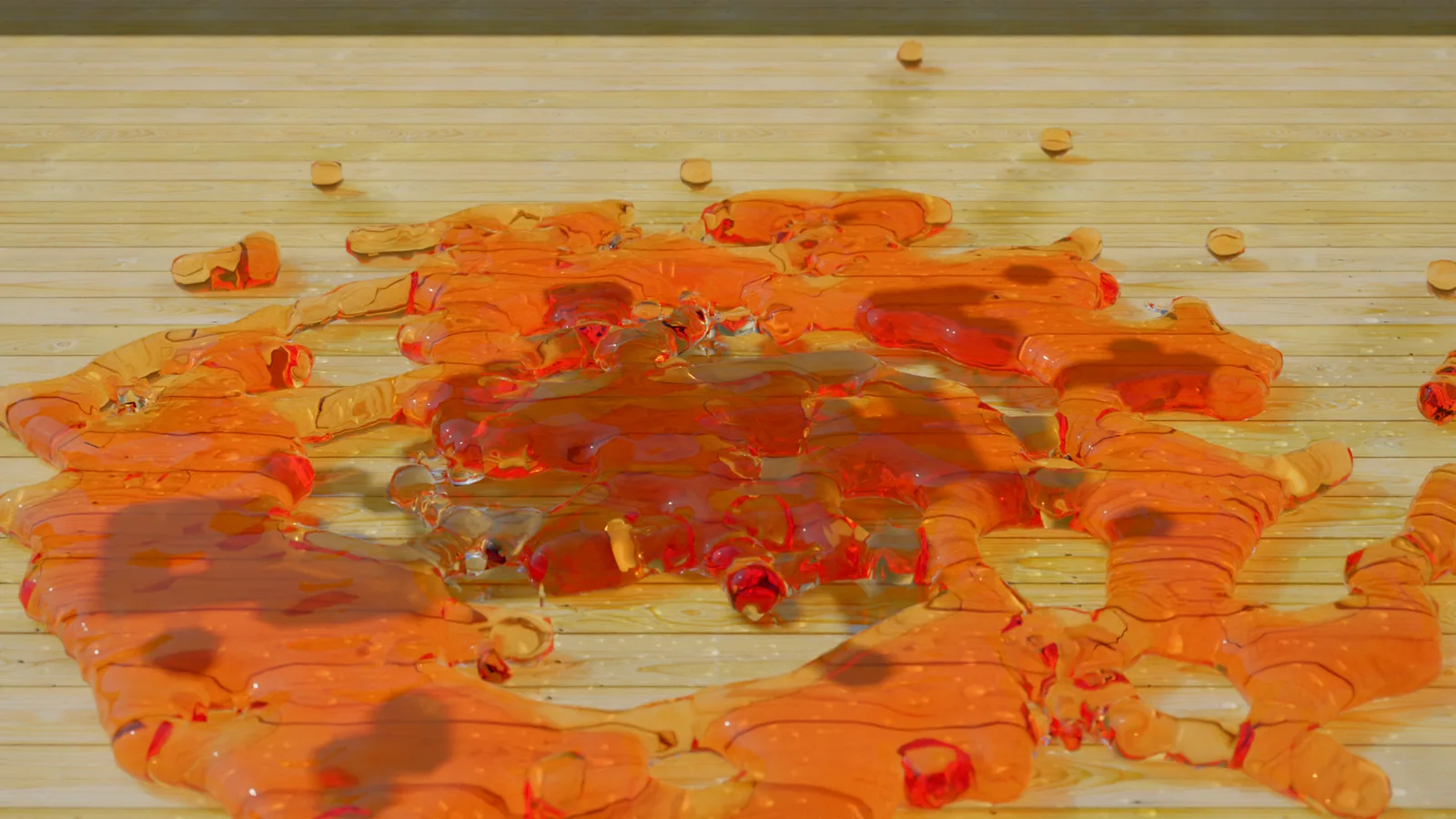
- A thin spilled film no longer paints dark puddle spots where it breaks up, so its gaps show the damp floor underneath.
- The engine's own checks now expect the Lens Shift row, compare the Detail denoiser without dither, and give a first launch time to compile its shaders.
Here is a spill with Thin Sheet off and on. More pairs like it are on the before and after page.