

 ShotScript
Questions you can ask your game's code
Our example this time is a small café. Players buy coffee and cake with coins, a quest pays 25 coins and a free cookie after the third thing they buy, and a daily reward grows by 10 coins for every day in a row. It's fifteen .shot files with one start script, and shot check says 0 errors (15 files checked, 3.4 s).
The daily streak never gets past one, though. We wrote a scenario that claims the reward three days running, and it printed streak 1, streak 1, streak 1, then passed with 0 errors.
In a Roblox project, this is where you'd search for the table that holds the streak and read every hit to work out who writes it and whether that code ever runs. ShotScript has commands that answer those questions for you. They use the same parser and type checker as shot check, so they know which function a remote ends up in and which of two methods called Add a line is calling. Most of them answer in under a second.
Who writes what this reads
shot needs takes a function and lists the state it reads. For each piece it names the code that writes it, and says whether the game ever gets to that code, starting from the scripts, the remotes and Roblox's own events.
We asked it about Daily.Claim:
NEEDS Daily.Claim  Daily/Daily.shot:31
runs: remote DailyClaim to server > Daily.Start on DailyClaim (OnServerInvoke) > Daily.Claim
The state it reads (file locals, module properties, class fields), each writer, and whether the game reaches
that writer (from scripts, remotes and Roblox events), with the way it does or why it doesn't:
  records  Daily/Daily.shot:12  starts {}; read at :32
    Daily.Load  :24  fills it; NOT LIVE: nothing calls it
    => nothing the game runs writes it, so every reader sees it empty
  and values nothing writes after they are set (constants, services, instances): DAY, store
Never written by code the game runs: records.
There's the bug. Claim reads records. The only code that fills it is Daily.Load, and nothing calls Daily.Load. The runs: line at the top shows how Claim itself gets called, from the DailyClaim remote through the handler that Start sets up for it.
It also explains why nothing crashed. Claim starts with a careful line:
local record : Record = records[player] or { Streak = 0, Last = 0 }With records always empty, every claim starts from a fresh record that has never been claimed. The streak starts over at 1, the player gets 10 coins, and the record is saved to the DataStore. Reading the saved streak back is Load's job, so it never happens.
Load was meant to run when a player joins, and the line that hooks it up wasn't in Daily's Start. We added it:
		Players.PlayerAdded:Connect(function(player : Player)
			module.Load(player)
		end)
Then we asked again:
NEEDS Daily.Claim  Daily/Daily.shot:31
runs: remote DailyClaim to server > Daily.Start on DailyClaim (OnServerInvoke) > Daily.Claim
The state it reads (file locals, module properties, class fields), each writer, and whether the game reaches
that writer (from scripts, remotes and Roblox events), with the way it does or why it doesn't:
  records  Daily/Daily.shot:12  starts {}; read at :32
    Daily.Load  :24  fills it; live: Init/Server > Daily.Start > Daily.Start on Players.PlayerAdded > Daily.Load
  and values nothing writes after they are set (constants, services, instances): DAY, store
The DailyStreak scenario before the fix:
==== DailyStreak
Day 1: streak 1, reward 10
Day 2: streak 1, reward 10
Day 3: streak 1, reward 10
Alice has 50 coins

==== summary
  DailyStreak    OK  (4 lines, 0 errors, 259200.15s virtual)
1 of 1 scenario(s) passed
And after it:
==== DailyStreak
Day 1: streak 1, reward 10
Day 2: streak 2, reward 20
Day 3: streak 3, reward 30
Alice has 80 coins

==== summary
  DailyStreak    OK  (4 lines, 0 errors, 259200.15s virtual)
1 of 1 scenario(s) passed
Now shot needs prints the whole road to Load where it used to say NOT LIVE. The scenario went from three streaks of 1 and 50 coins to 1, 2, 3 and 80 coins. It passed both times, because it only logs and never asserts, which is exactly how a bug like this gets past a test.
If you'd rather see the function itself, shot show Daily.Claim prints it with its line numbers and the same facts underneath: what it reads, who writes it, and the remote it's reached from.
What happens after a purchase
shot trace follows a function through the game. It lists what it calls, the events it publishes and who hears them, and the remotes it fires and who handles them. Here's a coffee being bought:
what happens after Shop.Buy (4 levels; --up: what leads to it; shot trace A B: the route from A to B):
Shop.Buy  Shop/Shop.shot:18
  calls Bank.Spend  Wallet/Bank.shot:32
    calls Wallet.Spend  Wallet/Wallet.shot:26
      calls Wallet.Add  Wallet/Wallet.shot:20
  calls Pantry.Of  Inventory/Pantry.shot:14
    calls Inventory.new  Inventory/Inventory.shot:11
  calls Inventory.Add  Inventory/Inventory.shot:18
  publishes event "ItemBought"
    heard by Quests.Start on "ItemBought"  Quests/Quests.shot:16
      sets up Quests.Start on "ItemBought" on task.delay (runs once, seconds later, by task.delay)  Quests/Quests.shot:20
        calls Bank.Give  (+1 more: trace it)  Wallet/Bank.shot:24
        calls Pantry.Of  (see above)  Inventory/Pantry.shot:14
        calls Inventory.Add  Inventory/Inventory.shot:18

Key: sets up: a callback, which runs later, not a call.
The purchase takes the coins, puts the coffee in the player's pantry and publishes ItemBought. Quests hears that and gives coins and a cookie on the third purchase. In the code, that last part is in another folder, on the far side of an event. In the trace it's the next few rows.
Add --up and it goes the other way. shot trace Wallet.Add --up is every road into a player's coins: the starter coins when a wallet opens, the daily reward through its remote, the quest through ItemBought, and spending through the BuyRequest remote. Give it two names and it prints the shortest route between them:
how Shop.Buy reaches Bank.Give (shortest routes):
Shop.Buy  Shop/Shop.shot:18
  publishes event "ItemBought"
    heard by Quests.Start on "ItemBought"  Quests/Quests.shot:16
      sets up Quests.Start on "ItemBought" on task.delay (runs once, seconds later, by task.delay)  Quests/Quests.shot:20
        calls Bank.Give  Wallet/Bank.shot:24

Key: sets up: a callback, which runs later, not a call.
Code that only runs later gets its own word. Bank's Start connects to PlayerAdded and PlayerRemoving and binds a function to the server closing. Trace puts "sets up" on those three rows and explains it once at the bottom, "a callback, which runs later, not a call", so you can tell what runs at start from what waits for a player or for shutdown.
Every real use of one Add
The café has two methods called Add. Wallet's adds coins, and Inventory's adds an item to the pantry. A text search for :Add( finds five lines and leaves the sorting to you, and a line like Pantry.Of(player):Add(item) won't say which class it's on until you go and look up what Pantry.Of returns.
The five lines the search finds:
./Quests/Quests.shot:22:  Pantry.Of(player):Add("Cookie")
./Shop/Shop.shot:26:  Pantry.Of(player):Add(item)
./Wallet/Bank.shot:19:  wallet:Add(STARTER_COINS, "Starter")
./Wallet/Bank.shot:27:  wallet:Add(amount, reason)
./Wallet/Wallet.shot:30:  self:Add(-amount, reason)
shot refs Wallet.Add lists three of them:
Wallet.Add: declared Wallet/Wallet.shot:20, 3 uses (type-checked: only uses on Wallet, not other things named Add)
  Wallet/Bank.shot:19    Bank.Open     wallet:Add(STARTER_COINS, "Starter")
  Wallet/Bank.shot:27    Bank.Give     wallet:Add(amount, reason)
  Wallet/Wallet.shot:30  Wallet.Spend  self:Add(-amount, reason)
Uses through values typed any can't be seen; shot find Add lists every same-named use.
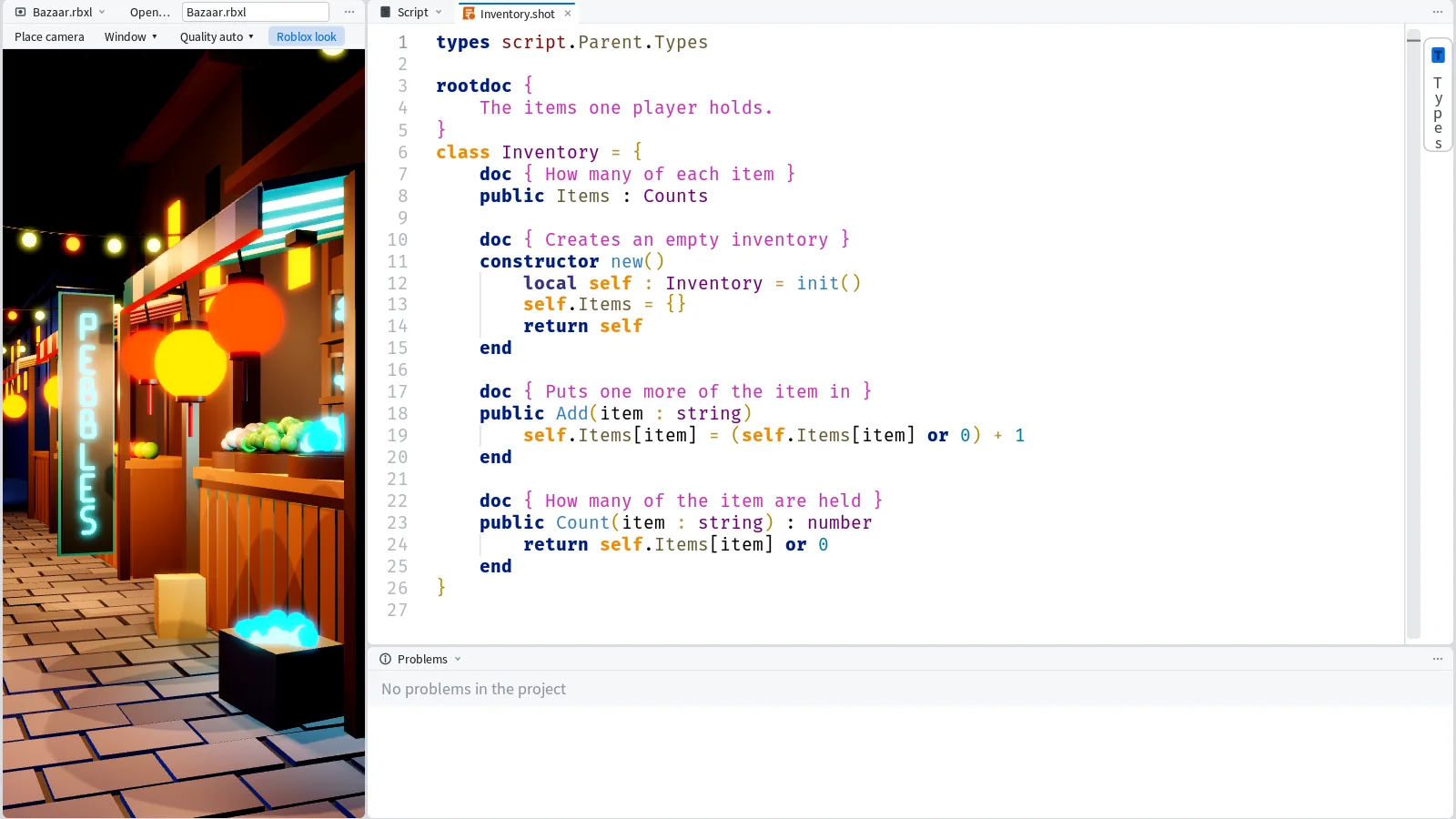
And shot refs Inventory.Add the other two:
Inventory.Add: declared Inventory/Inventory.shot:18, 2 uses (type-checked: only uses on Inventory, not other things named Add)
  Quests/Quests.shot:22  Quests.Start  Pantry.Of(player):Add("Cookie")
  Shop/Shop.shot:26      Shop.Buy      Pantry.Of(player):Add(item)
Uses through values typed any can't be seen; shot find Add lists every same-named use.
shot refs works by hiding the member for one type check and listing every place that then fails. So it only finds uses on that class, with the function each one sits in. It's the slow one of the set, about 8 seconds here, since it type-checks the project twice. Uses through a value typed any can't be seen that way, and refs says so under its list.
One page about a class
shot doc Wallet prints the class as a page. You get its doc, then the constructors, properties and methods, each with its doc line and line number, and links to what it names at the bottom:
class Wallet  Wallet/Wallet.shot:6
The coins one player owns.
Bank keeps one wallet for each player.

CONSTRUCTORS
  new(coins : number)  -- Creates a wallet holding coins  :12

PROPERTIES
  Coins : number  -- Coins the player has now  :8

METHODS
  Add(amount : number, reason : Reason)  -- Adds coins (a negative amount takes them) and remembers why  :20
  Spend(amount : number, reason : Reason) : boolean  -- Takes coins if the wallet has them; false and no change when it holds fewer  :26
  Last() : Reason?  -- The reason of the latest change, nil before the first  :35

INTERNAL PROPERTIES
  _history : {Reason}  :9

LINKS
  Bank    shot doc Wallet/Bank
  Reason  shot doc Wallet/Types#Reason
Everything on it is a doc comment we wrote, put in the order you'd read it, and the links are the commands for the next page. It came back in about a second, like needs, show and trace.