
 ShotScript
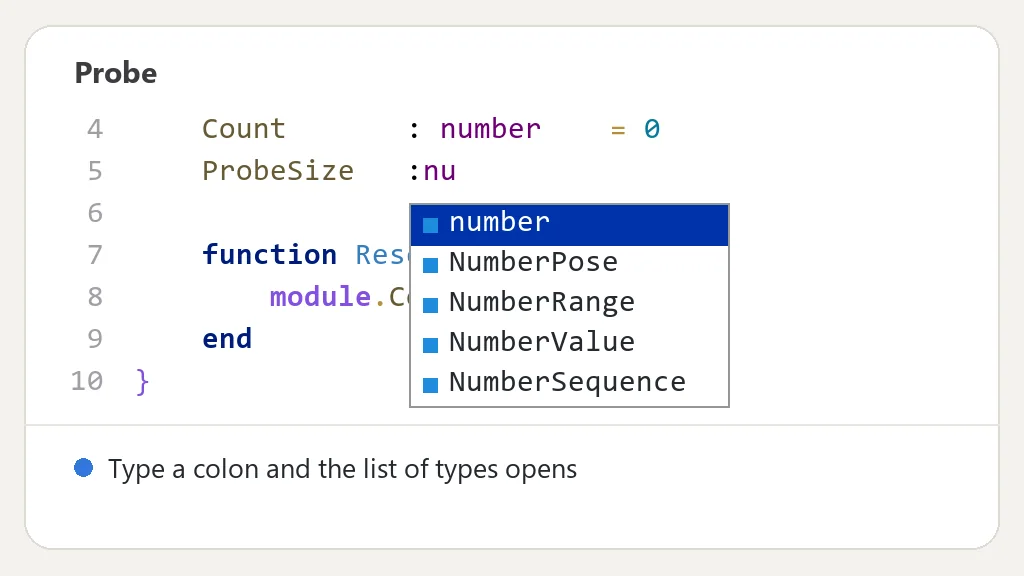
The type list opens at the colon
In a ShotScript tab in ShotScript Editor, a field is its name, a colon and its type. Type the colon and the list of types opens by itself, with no key to press first. It opens the same way in a module's body and in a class's body, the first letters of a type bring it to the top, and Ctrl+. opens the list again after Esc has closed it.
The scripts
In a new Baseplate we put two ShotScripts together under ReplicatedStorage.Lab: a module called Probe and a class called Sensor. Probe opened like this:
system script

module Probe = {
    Count : number = 0

    function Reset()
        module.Count = 0
    end
}

return Probe
Every key below was pressed one at a time.
The list opens at the colon
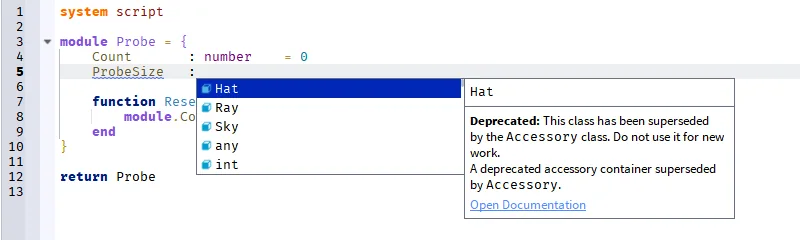
We clicked at the end of line 4, pressed Enter and typed ProbeSize :. The list opened as the colon went in. Its rows were Hat, Ray, Sky, any and int, with Hat selected and its docs in a box beside the list, starting "Deprecated: This class has been superseded by the Accessory class."
As we typed, Count's line took more spaces so that its colon and the new one share a column. ProbeSize has a blue wavy line under it while its line has no type yet.

Two letters put number first
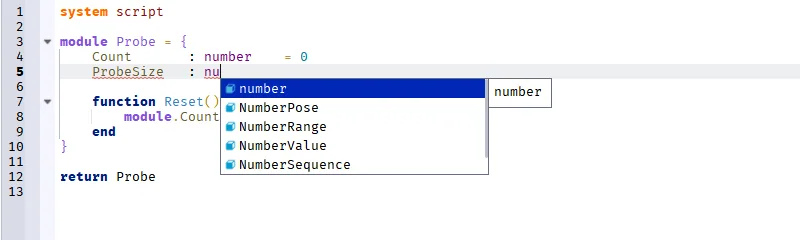
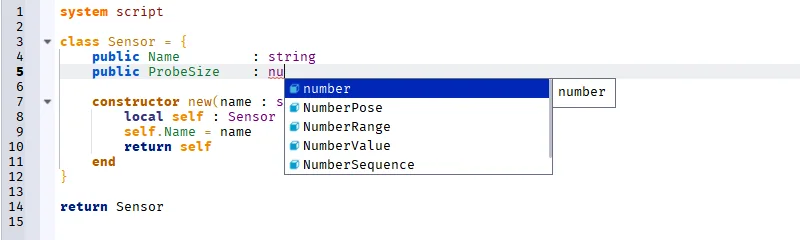
Then we typed nu. number went to the top of the list, selected, with NumberPose, NumberRange, NumberValue and NumberSequence under it and a scroll bar for the rows below. The box beside the list now read just number.
Once the type was started, ProbeSize's wavy line turned red and nu got a red one too. Both are errors. A field in a module reads as an error until its line has a value, and nu on its own names no type. The two messages say so:
Syntax Error: module Probe: property ProbeSize needs a value (ProbeSize : type = value)
Type Error: Unknown type 'nu'
A class field gets the same list
Sensor is a class with one field and a constructor:
system script

class Sensor = {
    public Name : string

    constructor new(name : string)
        local self : Sensor = init()
        self.Name = name
        return self
    end
}

return Sensor
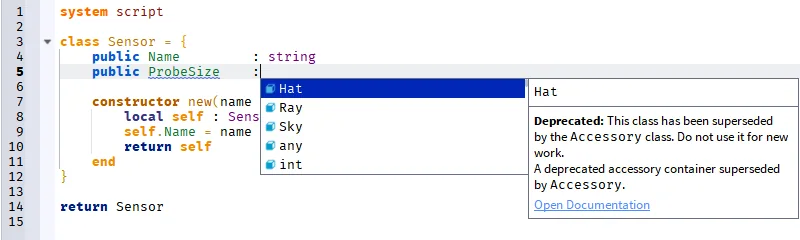
We added a line under public Name : string and typed public ProbeSize :. The same list opened at the colon with the same five rows, the two fields lined up, and nu put number first again. This time only nu has a wavy line, a red one with the same Unknown type 'nu' message.

Ctrl+. opens it again
Esc closes the list. We pressed Esc, took nu back out with two Backspaces and pressed Esc again, which left the caret just after the colon with no list open. Ctrl+. opened the list there, with the same five rows the colon had brought.