

 ShotScript
Add an attribute from Properties
Pick an instance in ShotScript Explorer and ShotScript Properties ends with an Attributes section, with a + at the right of its header. The + opens an Add Attribute dialog laid out like Studio's own: a name, a type, Save. The value goes in the attribute's row afterwards. We gave a script three attributes and read them back in a play test.
The script
In a new Baseplate we made a Script called Garden in ServerScriptService. It reads three attributes by name and prints the type and value of each.
for _, name in { "Rows", "Sun", "Bed" } do
	local v = script:GetAttribute(name)
	print(name, typeof(v), v)
end
We picked Garden in ShotScript Explorer. ShotScript Properties' last two sections were Tags and Attributes, both empty, each with a + on its header.
The dialog
The + on Attributes opened Add Attribute. It has a Name box with a counter under it, a Type list that starts on string, and Save and Cancel, with Save grey while the name is empty. We typed Rows, and the counter read 4/100.

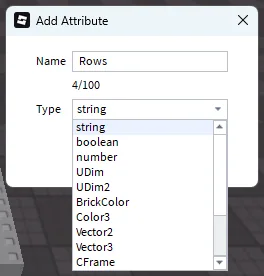
The list runs string, boolean, number, UDim, UDim2, BrickColor, Color3, Vector2, Vector3 and CFrame, and scrolls on past CFrame.
Names it turns down
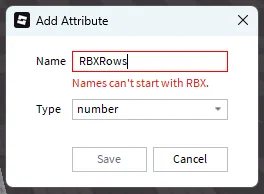
With Type set to number, we tried RBXRows. The Name box turned red and the counter's place read Names can't start with RBX. A name with a space, Bed Rows, got Contains illegal character(s). Save stayed grey for both.

Three values
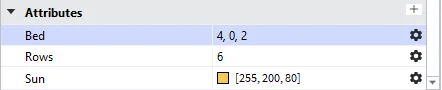
We named it Rows, kept number and pressed Save, and the row came in as Rows with a value of 0. We clicked the 0, selected it with Ctrl+A, typed 6 and pressed Enter. Sun as a Color3 came in white, as [255, 255, 255] beside a white swatch, and typing 255, 200, 80 turned the swatch yellow orange. Bed as a Vector3 came in at 0, 0, 0, and we typed 4, 0, 2.
The section keeps the rows in the order of their names, not the order they went in, so Bed comes first. A Color3 shows its numbers in brackets, and a Vector3 without.

Play
Output was closed in the new place, so we opened it from Studio's Window menu, then pressed F5.
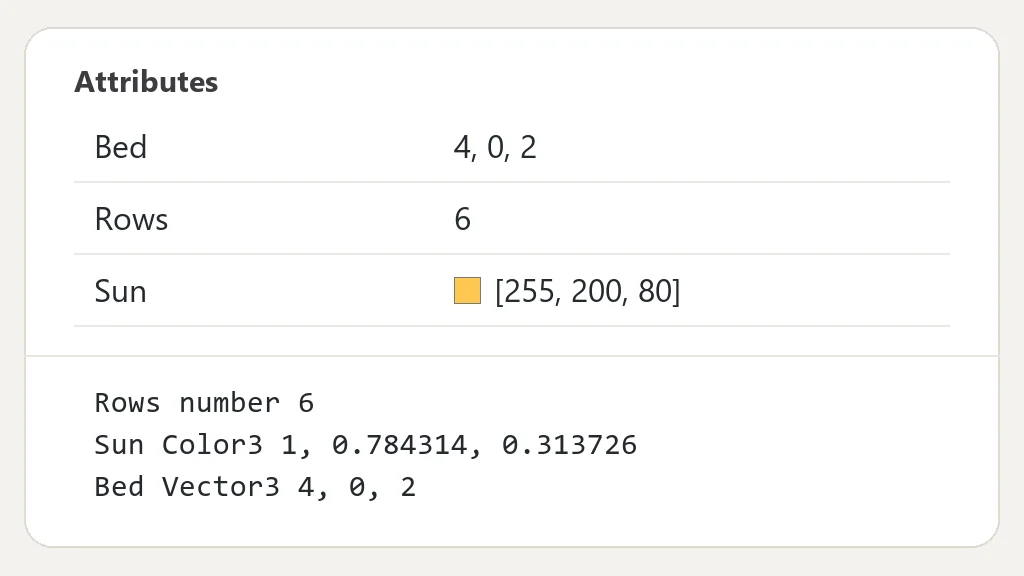
Rows number 6
Sun Color3 1, 0.784314, 0.313726
Bed Vector3 4, 0, 2

Each attribute came back as the type it was given. Sun prints as fractions of 1: Properties shows a Color3 as 0 to 255, and a script gets it as 0 to 1, so 200 reads as 0.784314.