

 ShotScript
Click a problem to land on the mistake
ShotScript Editor's Problems dock lists what Luau finds in every script of a place, ShotScript modules and plain Scripts together, laid out like Studio's Script Analysis window. A single click on a row opens its script with the caret on the mistake. We misspelt a name in each of two scripts and clicked our way back to both.
Two scripts
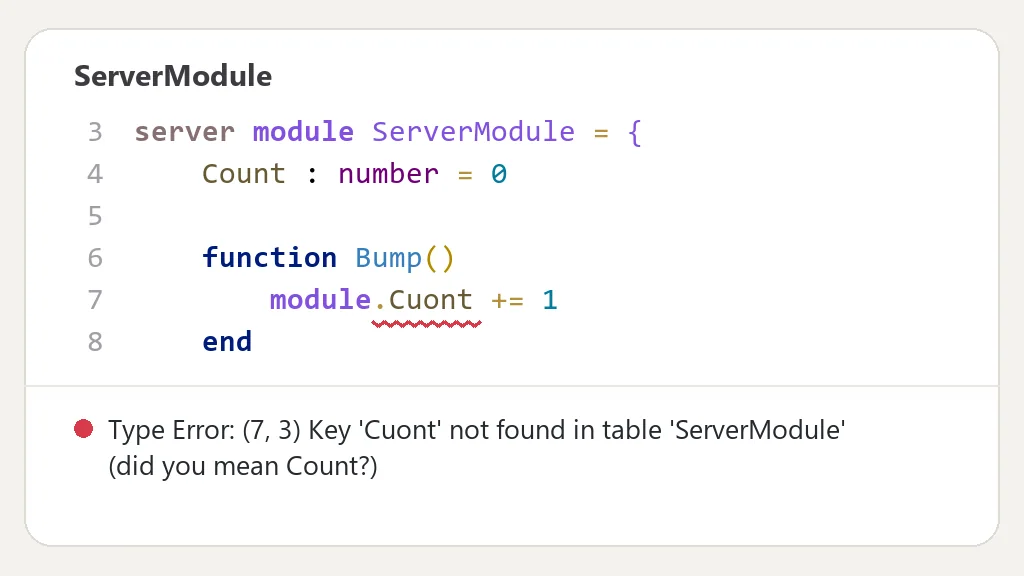
In a new Baseplate we gave ServerScriptService a plain Script called Clock and a ShotScript module called ServerModule. We put this in ServerModule, with Count misspelt on line 7. Its first line, system script, makes it a system of its own, and its last line, return ServerModule, hands the module out.
system script

server module ServerModule = {
	Count : number = 0

	function Bump()
		module.Cuont += 1
	end
}

return ServerModule
Clock got a misspelt os.time.
--!strict
local started = os.tim()
print("Server started at", started)
The rows
With both script tabs closed, the dock listed two rows, one under each script's name.

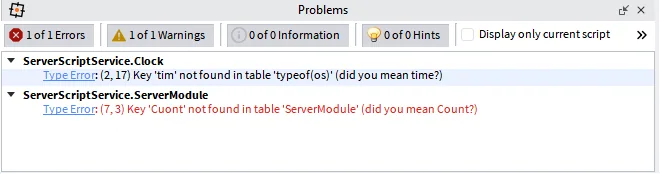
ServerScriptService.Clock
  Type Error: (2, 17) Key 'tim' not found in table 'typeof(os)' (did you mean time?)
ServerScriptService.ServerModule
  Type Error: (7, 3) Key 'Cuont' not found in table 'ServerModule' (did you mean Count?)
The two numbers are the line and the column where the mistake starts, and the part in brackets offers the name we most likely meant. ServerModule's row is an error, drawn in red, and Clock's is a warning, so the buttons over the list read 1 of 1 Errors and 1 of 1 Warnings. Clock's row doesn't need --!strict: before we added that line, the same row was there at (1, 17).
One click
A single click on ServerModule's row opened ServerModule's tab with the caret on line 7 at column 3, just before module.Cuont, and a red wave under .Cuont.

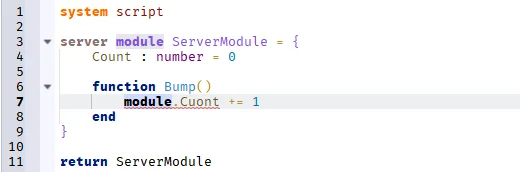
A click on Clock's row did the same for Clock, with the caret on line 2 at column 17, just before os. Clock's tab opened in place of ServerModule's, so one script tab stayed open.
Both put right
In Clock we changed tim to time, and its row went, leaving ServerModule's. Then we changed Cuont to Count in ServerModule. That left the list empty, with every button at 0 of 0.

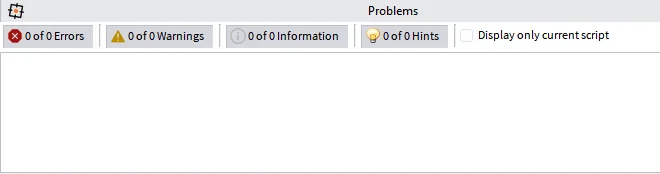
The box beside the buttons, Display only current script, was off, so the list covered every script in the place.