
 ShotScript
Docs fold into a dot beside the name
ShotScript Editor folds a ShotScript module's doc lines away when the module opens, and puts a small pink dot before each name that has one. The code keeps its place on the screen. Click a dot and the doc opens in a box floating over the code, where you can change it.
A module with docs
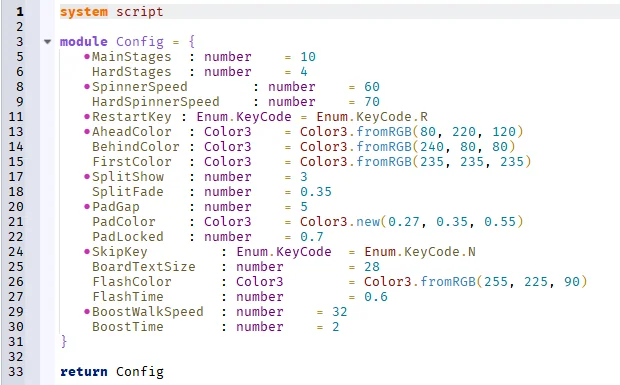
In a new Baseplate set up as a ShotScript place, ReplicatedStorage.Shot.Obby holds Config, a module that is a system of its own (its first line is system script). It holds a small obby's numbers, with a doc line above each group of fields. The place has no docs setting of its own, so ShotScript Editor's default applies. We opened Config with Ctrl+P, typed Config and pressed Enter.
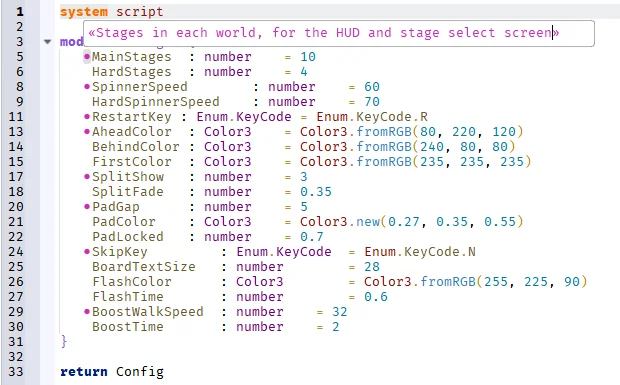
The doc lines take no room. The gutter skips 4, 7, 10, 12, 16, 19, 23, 28, the doc lines' own numbers, and a dot sits before the first field under each doc: MainStages, SpinnerSpeed, RestartKey, AheadColor, SplitShow, PadGap, SkipKey and BoostWalkSpeed. Line 4, for one, is «Stages in each world, for the HUD and stage select», the doc for MainStages on line 5.

Click the dot
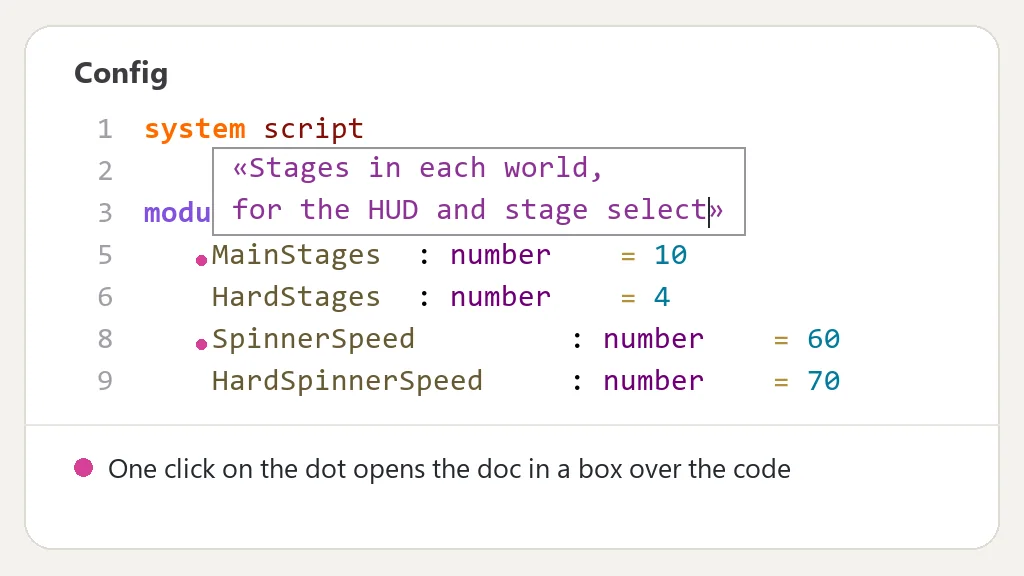
One click on the dot before MainStages opened a box floating over lines 2 and 3, holding the doc line as it is written, «Stages in each world, for the HUD and stage select», with the caret just before the closing mark. The code under it didn't move, and the dot stayed on line 5.

Change it in the box
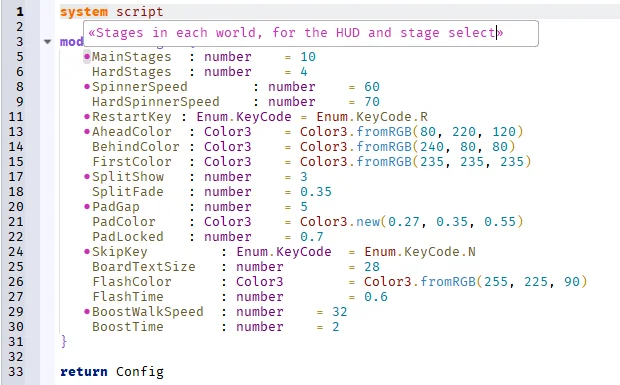
We typed screen right where the caret was, with no other key and no click, and the box read «Stages in each world, for the HUD and stage select screen». Ctrl+Enter kept the edit and closed the box. Every line and gutter number on screen was as before, with the dot back before MainStages.

Read it back
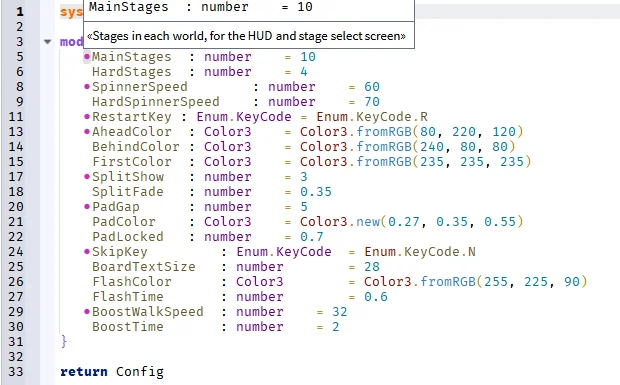
With the pointer resting on the dot, a card over lines 1 and 2 shows the field's line, spaced into columns the way the card draws it:
MainStages : number = 10Under it comes the doc as changed, marks and all: «Stages in each world, for the HUD and stage select screen».