

 Mime
Mime ShotScript
Every change in Mime is a step you can go back to
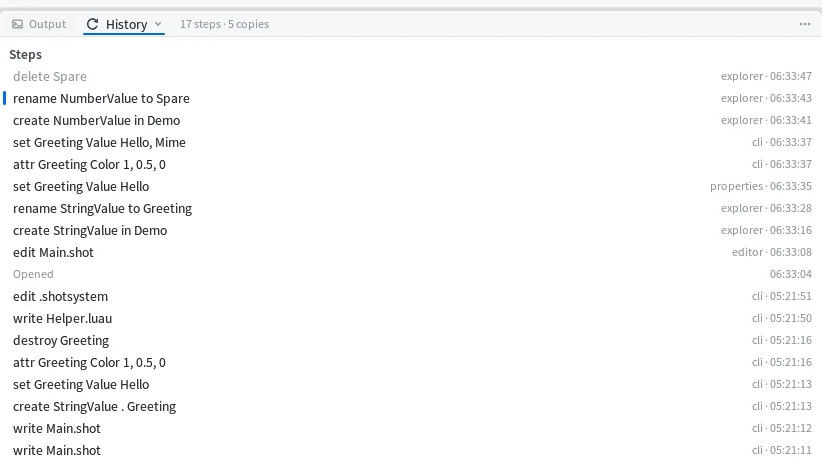
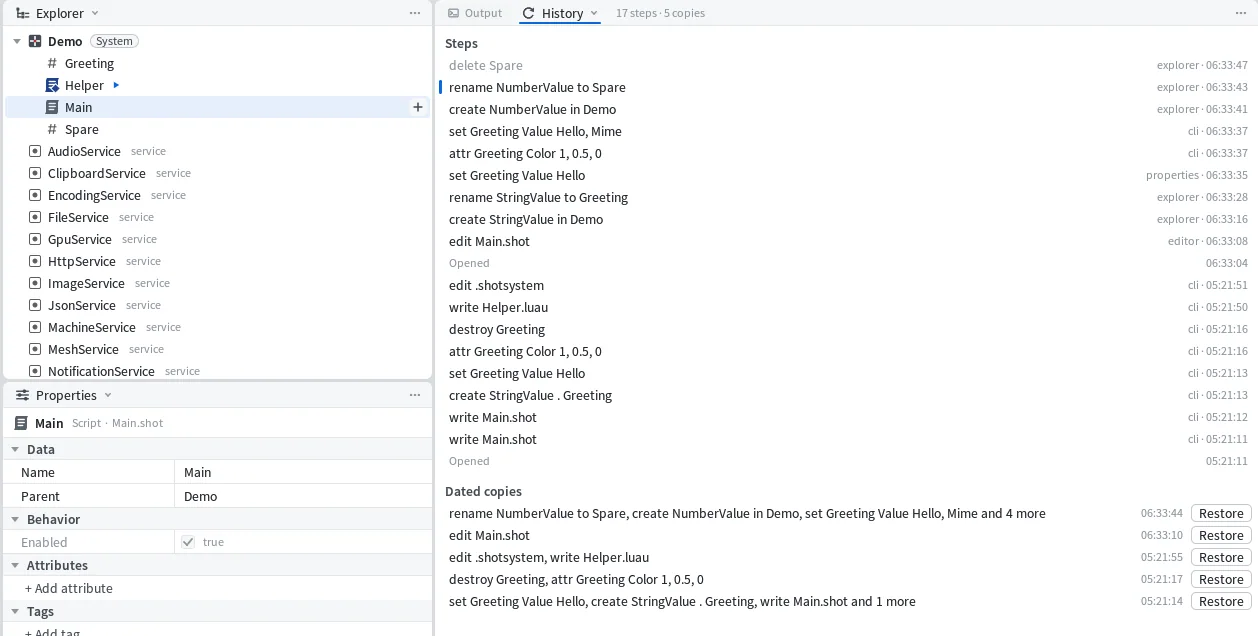
Everything you do to a project in Mime is one step. Typing in a script, setting a property, inserting an object, a command run from the terminal. Mime keeps the last 500 of them, and the History pane lists them with what changed, who made the change and when.

Who made it
The "who" on each step is the part of Mime it came from, like editor, explorer or properties, or cli for a command typed in a terminal. A project can be changed from a terminal while it's open in Mime, and those changes land in the same list, in order, with everything else.
Undo works the same way. Outside a text box, Ctrl+Z takes back the project's last step whoever made it. The status bar then names the step it took back and who made it, for example undid delete Spare (by explorer), and the step goes grey at the top of History.

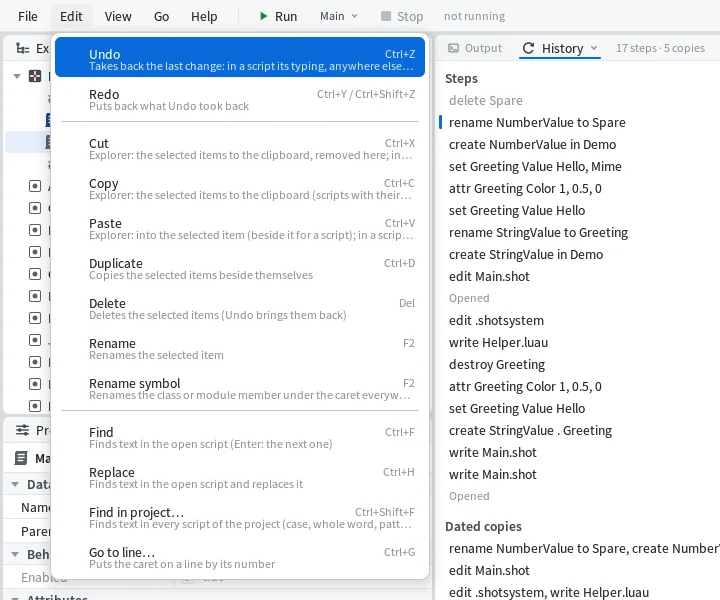
From a terminal it's shot undo, and it says whose step it took back:
undid destroy Greeting (by cli): Greeting.instanceTyping turns into a step when you stop: two seconds without a key, the caret moving to another line, leaving the Editor, Run, or Ctrl+S. So Ctrl+Z in the Editor takes back a whole typed change, and you don't have to press it forty times to undo a sentence.
If a script you have open gets changed from somewhere else, a bar above it says the script changed outside the editor and gives you two buttons, Load theirs and Keep mine. History shows who made the change.


Go back, and see what that does first
Click a step in History and Mime shows what going back to it would change, line by line. The button says Go back to this step. Going back doesn't throw anything away. It's one new step on top, so Ctrl+Z takes it back too.

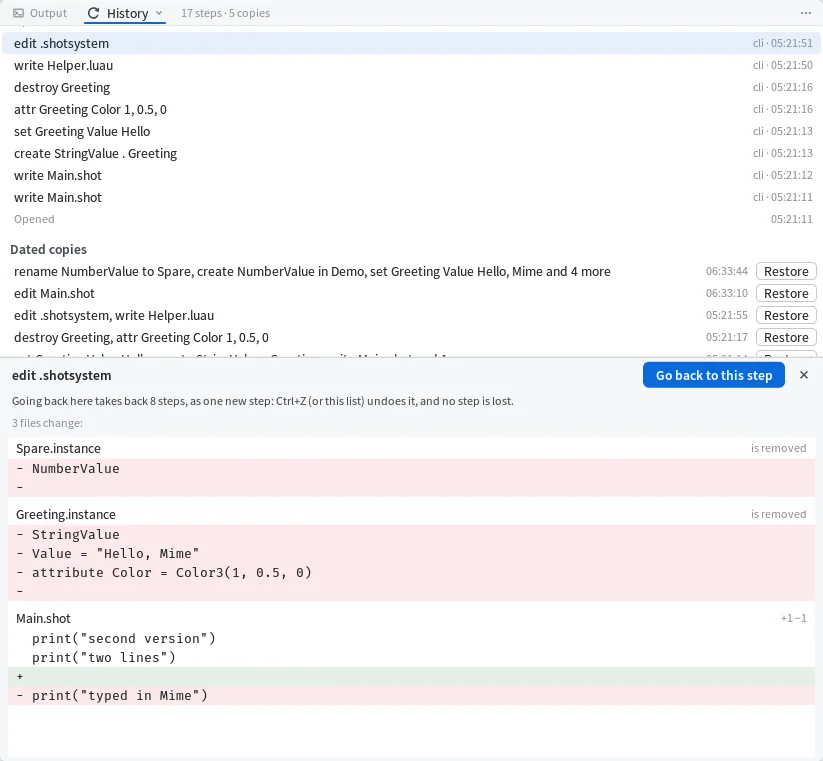
Steps outlast closing the project, so tomorrow's History still has today in it. Ctrl+Z only reaches back to when you opened the project, but going back from the pane to one of yesterday's steps still puts back the text of every script changed since.
Dated copies
Mime writes the project file a second and a half after every change. On top of that it keeps dated copies, one every ten minutes while changes come in and one on every Ctrl+S. Every copy from the last 24 hours is kept, then one a day. Ctrl+S tells you which copy it kept:
saved Demo.ssp; dated copy Demo_2026-10-22_05-21-14A dated copy is a plain project file in a folder beside yours, so you can open one in a text editor if you ever need to. shot history lists them, newest first, with the changes made since the copy before:
  Demo_2026-10-22_05-21-55   0 KB   edit .shotsystem, write Helper.luau
  Demo_2026-10-22_05-21-17   0 KB   destroy Greeting, attr Greeting Color 1, 0.5, 0
  Demo_2026-10-22_05-21-14   0 KB   set Greeting Value Hello, create StringValue . Greeting, write Main.shot and 1 more
In the History pane each copy has Restore. Restoring a whole copy is one step, so Ctrl+Z gets you back to where you were. To bring back just one file, give shot restore the file's name after the copy's. That one is for the afternoon you broke one script an hour ago and everything else is fine. Here it puts back a Main.shot we had just broken:
restore Main.shot from Demo_2026-10-22_05-21-55 (shot undo takes it back)Run it, stop it
F5 runs the project as the window holds it, in a process of its own. It puts the Editor's text in first but never writes the file. Prints, warnings and errors show up in the Output pane as they happen, and the first line of a run shows in about a fifth of a second.

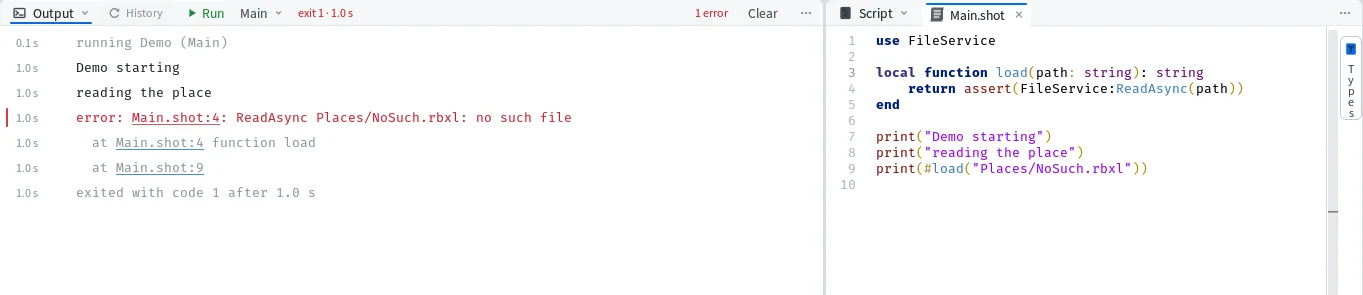
An error comes with its file and line, and in the Output pane that's a link that opens the Editor right there. From a terminal, shot run prints the error with the calls that led to it:
reading
error: Main.shot:4: ReadAsync Places/NoSuch.rbxl: no such file
  at Main.shot:4 function load
  at Main.shot:8
Shift+F5 stops the run and everything it started within a second, and names the timers and pages it ended. Pressing Run during a run restarts it. A run that printed nothing says so, which beats staring at an empty pane wondering if it ran. From a terminal it reads:
Helper (the export, a program) ran and printed nothing.
It has no scenarios yet (write one as Scenarios/<Name>.luau).
What F5 runs is the project's export. Right-click a script and pick Make this the export from its menu. The script's row in the Explorer gets a small blue arrow, and the Run menu takes its name.

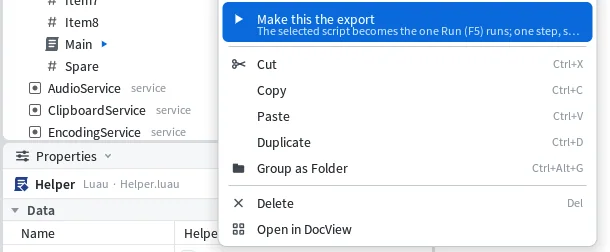
The project's header changes with it. The top of Demo.ssp then reads:
shotsystem 1
kind System
export Helper
The menu beside Run also picks a scenario, or all of them, when you want to run your tests instead of the program.