

 Mime
Mime ShotScript
Writing code in Mime now feels like Studio
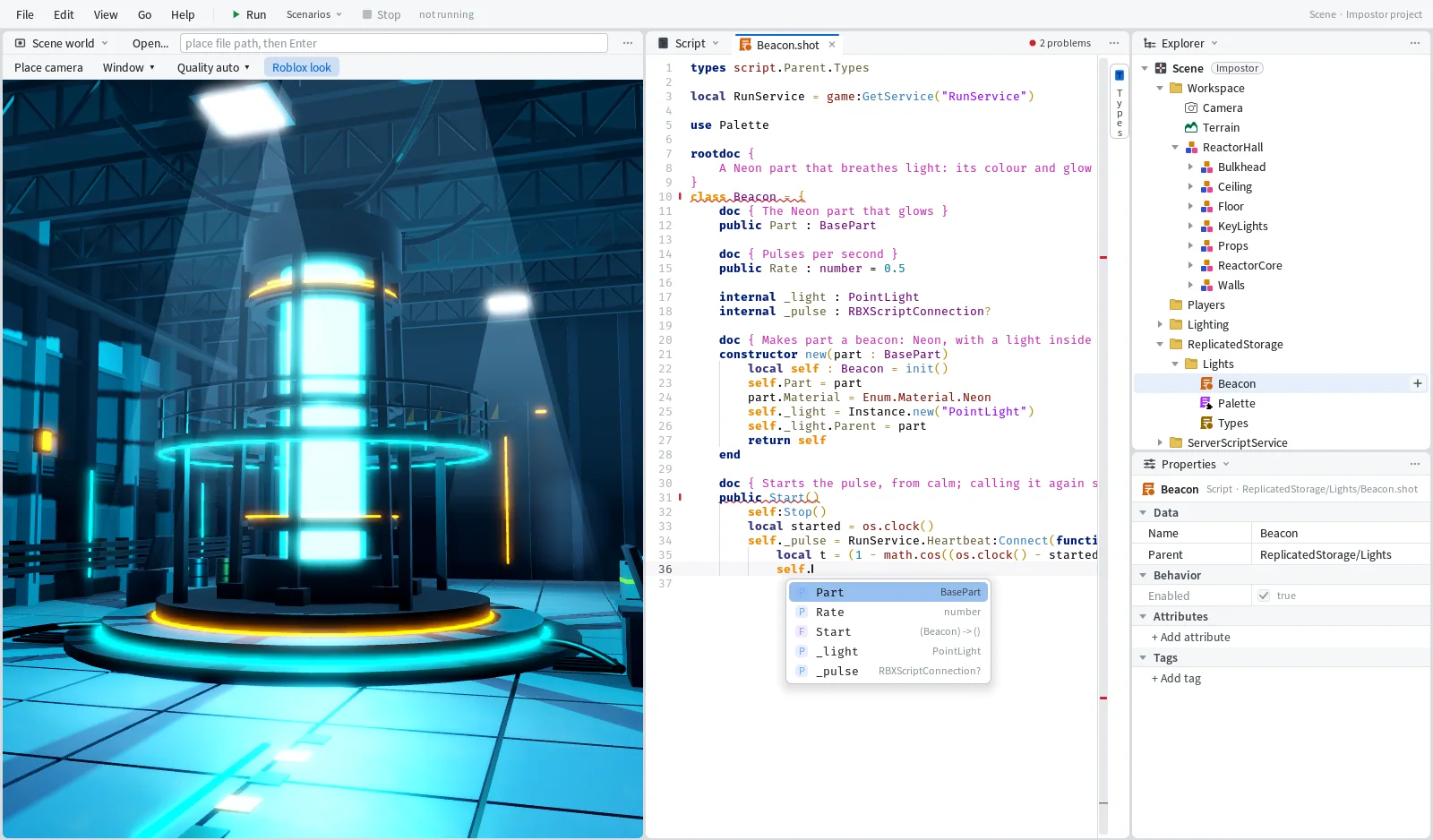
Over two days most of the work on Mime went into its Editor, the part where you actually type. To show what changed, here's one small class written from an empty file, with the place it belongs to open in the Roblox View beside it.
The class is a Beacon. It takes a part, makes it Neon with a PointLight inside, and pulses its colour and glow from calm to bright and back. It ends up about 50 lines long.
Completion that stays out of the way
Inside a class body, completion offers the shapes a member can take. Type a colon after a field's name and the list of types opens by itself. The same happens after use, types and import, so the use Palette line at the top is mostly picking from a list.
Picking a name from the list writes the name and nothing else. Functions are the exception. They get their brackets, and the caret goes inside when the function takes arguments and after the brackets when it doesn't. Once Stop is written, pick it after self: and you get self:Stop() with the caret after the brackets. Pick Mix after Palette. and the caret waits inside for the argument.
We wrote Start before Stop. Halfway through, Start has no end yet and the current line is half a word, and completion keeps answering anyway, on empty lines too. After self. it lists the members written so far: Part, Rate, Start, _light and _pulse. Stop isn't in the list, because it doesn't exist yet.

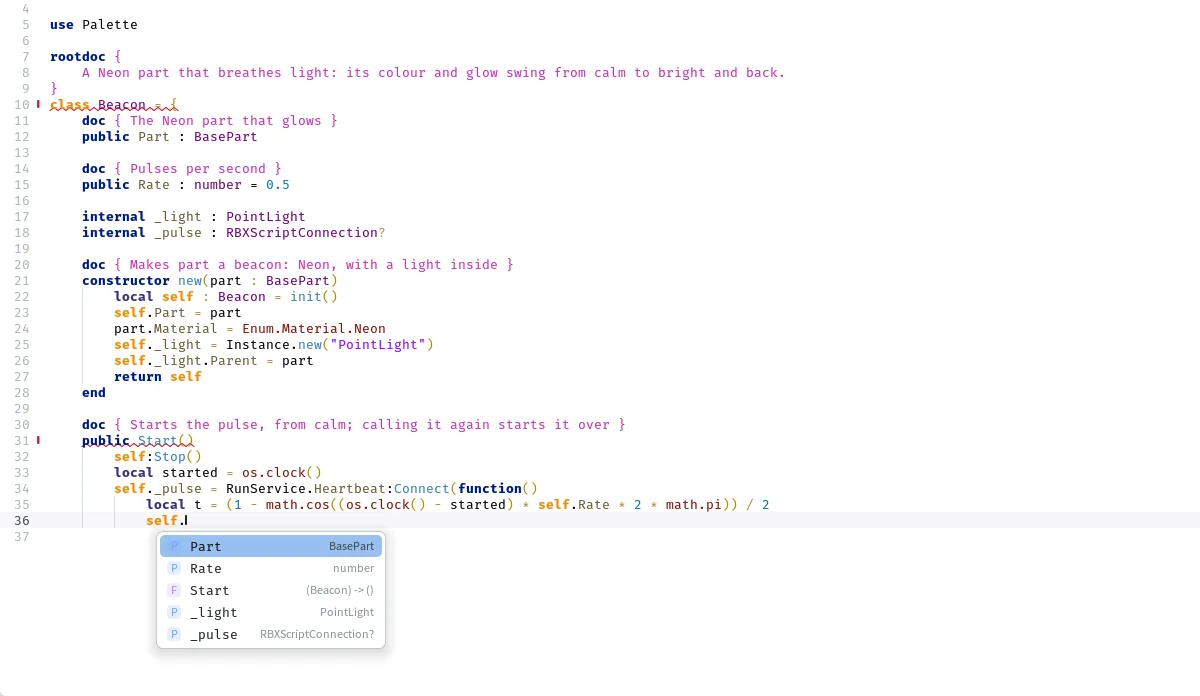
Until Stop is written, shot check finds one error, the call to a Stop that doesn't exist yet, and the Problems pane shows it in the same words. Writing Stop clears it.
Typing itself got calmer. else and end move back out to the right indent as you type them.
Seeing what's in scope
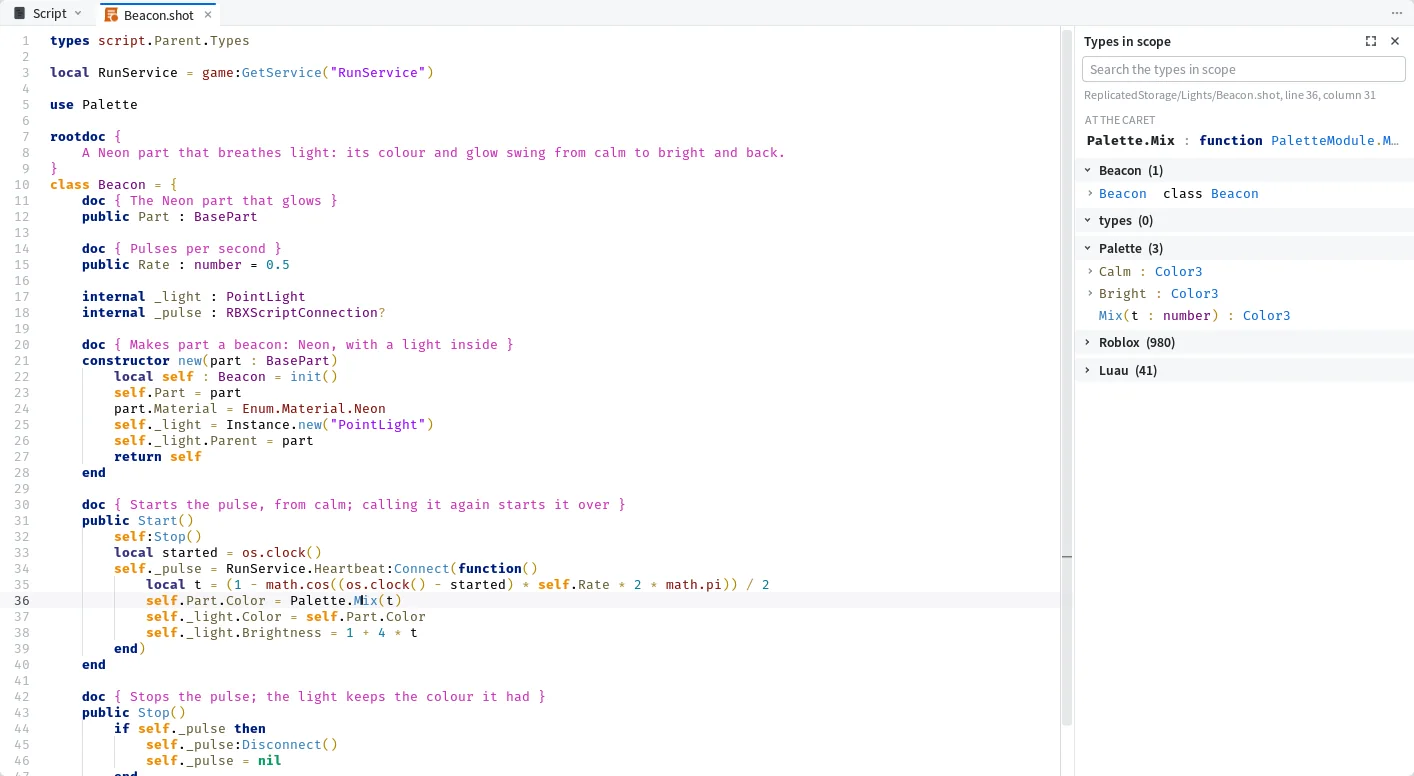
The Types panel shows every type in scope at the cursor, grouped by where it comes from, and each one's fields are a click away.

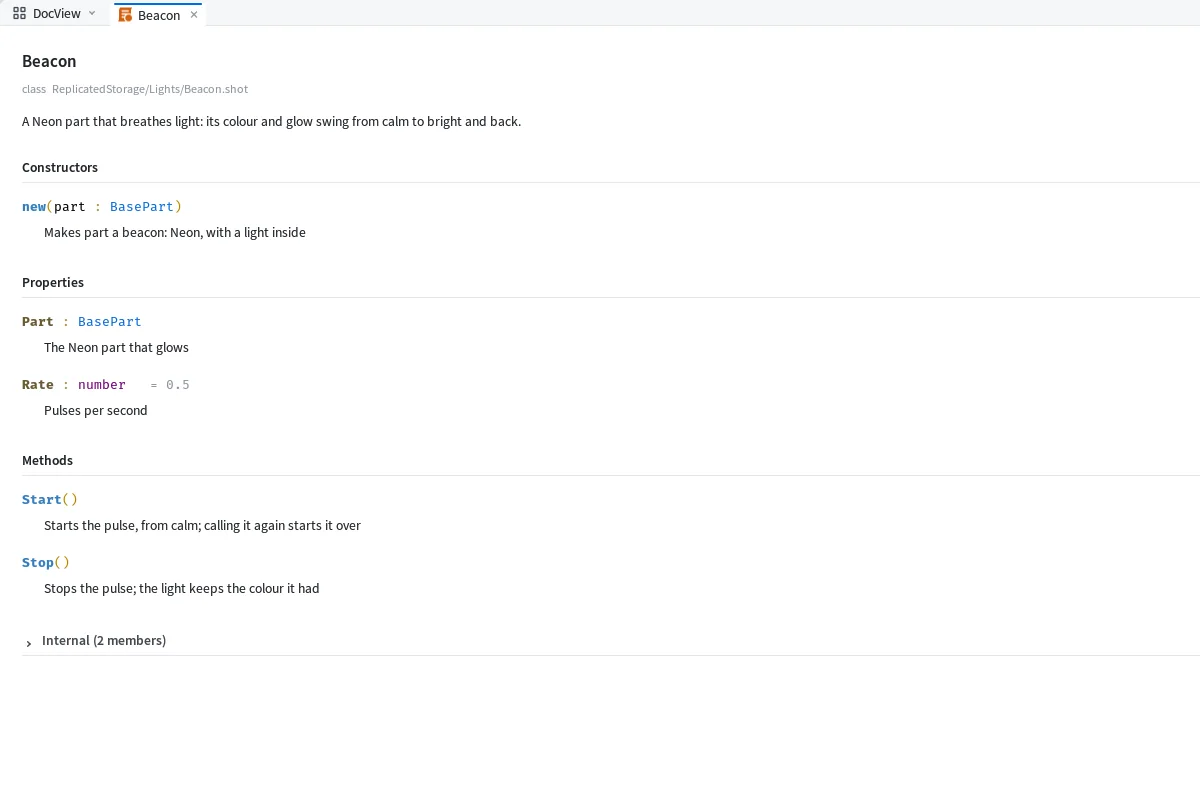
When the class is done, Open in DocView shows it as a page of its members and their doc comments, with type names you can click. A folder, or a script with children, opens the same way, with a sidebar of what it holds.

Getting around
Most of these will be familiar if you've used Studio's script editor or VS Code.
- CtrlP
- open any script by name
- CtrlShiftF
- search the whole project
- CtrlShiftP
- run any command by name
- AltLeft
- go back to where you were
- F2
- rename a member everywhere, in one undo step
- ShiftF12
- list every place that uses it
- CtrlTab
- switch tabs
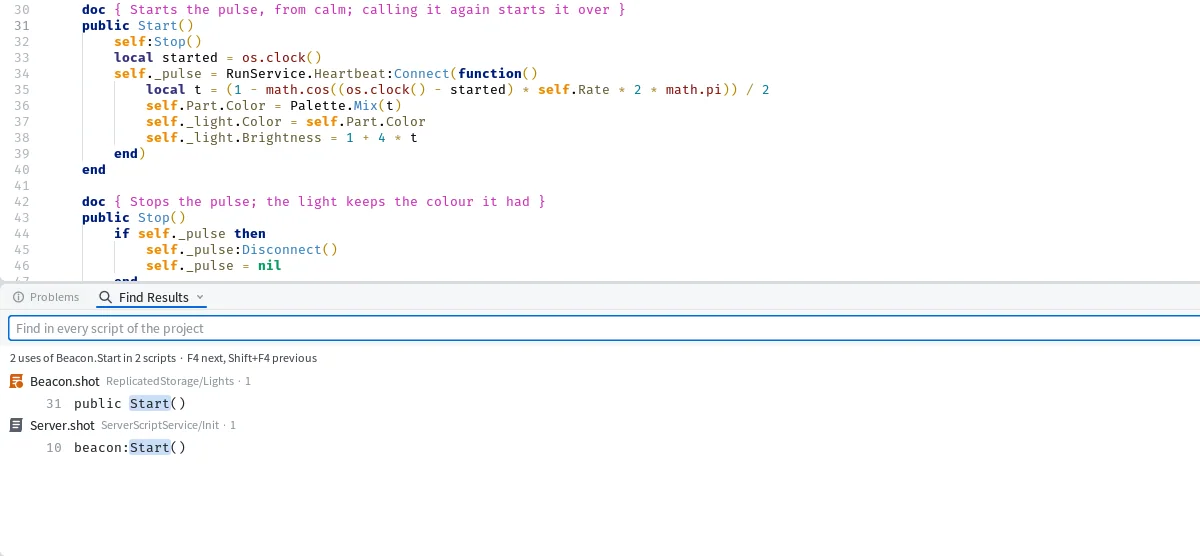
Shift+F12 on Start lists two lines here, the method itself and the line in the server script that makes a part and starts a beacon on it. From a terminal, shot refs gives the line where the method is declared and counts one use, the call.

Shortcuts with !
Completion also takes a few shortcuts that start with !:
!selimports the selected module!refwrites that module's path!limports its neighbours!b Namedraws a section banner
Right-clicking a tab now offers Close, Close Others, Close Tabs to the Right and Close Tabs to the Left.
Next for the Editor is folding code, and completion that knows your types and puts what you use most first.