

 ShotScript
 Mime
MimeShotScript programs that run on your own computer
A ShotScript project doesn't have to be a Roblox game anymore. Since 18 October it can be a System project, which is a program for your own computer, written in the same Luau you write in Studio. It can read and write files, start other programs, call web addresses and serve a page of its own. shot run runs it.
We built it for the tools that sit around a game. A script that backs up your place files. A build step. Something that watches a log while you test. Those usually end up written in a second language, by whoever on the team knows it. Now they can be Luau, checked line by line like the rest of your code.

One command to start
shot new PlaceBackup.sspprints
made PlaceBackup.ssp: a System project, whose program Main.shot prints a line (shot run PlaceBackup.ssp, or shot open PlaceBackup.ssp)The whole project is one text file. Its first lines are a short header, and export Main in it says Main.shot is the program shot run runs. It runs straight away and prints a hello line. Mime opens it from its start page or File > Open project, and any text editor can read it.
Services by name
In Studio you'd write game:GetService("HttpService"). Here you write the service's name in a use line at the top of the script, and from there it's a global:
use FileService
use TimeService
The services are your computer's:
- FileService
- files and folders, and following a log file as it grows
- ProcessService
- starting other programs
- TimeService
- the clock and timers
- HttpService
- web requests, and a small local server for your other tools
- JsonService
- reading and writing JSON, keeping a file's key order when it writes it back
- PageService
- a web page of your own with a live channel both ways, for a tool that wants a window
- ProgramService
- the program's arguments and a data folder of its own
They behave like Roblox objects. You call them with a colon, they have events, and the files and programs they hand you are instances too. Vector3, Color3, CFrame and the other datatypes work in programs as well.
shot check reads every call against the service, and Mime does the same while you type. If your fingers write Roblox from habit, it tells you what to write here:
Habits.ssp/H1.shot:1:21 game:GetService("HttpService") is Roblox's: write use HttpServiceA place backup in 30 lines
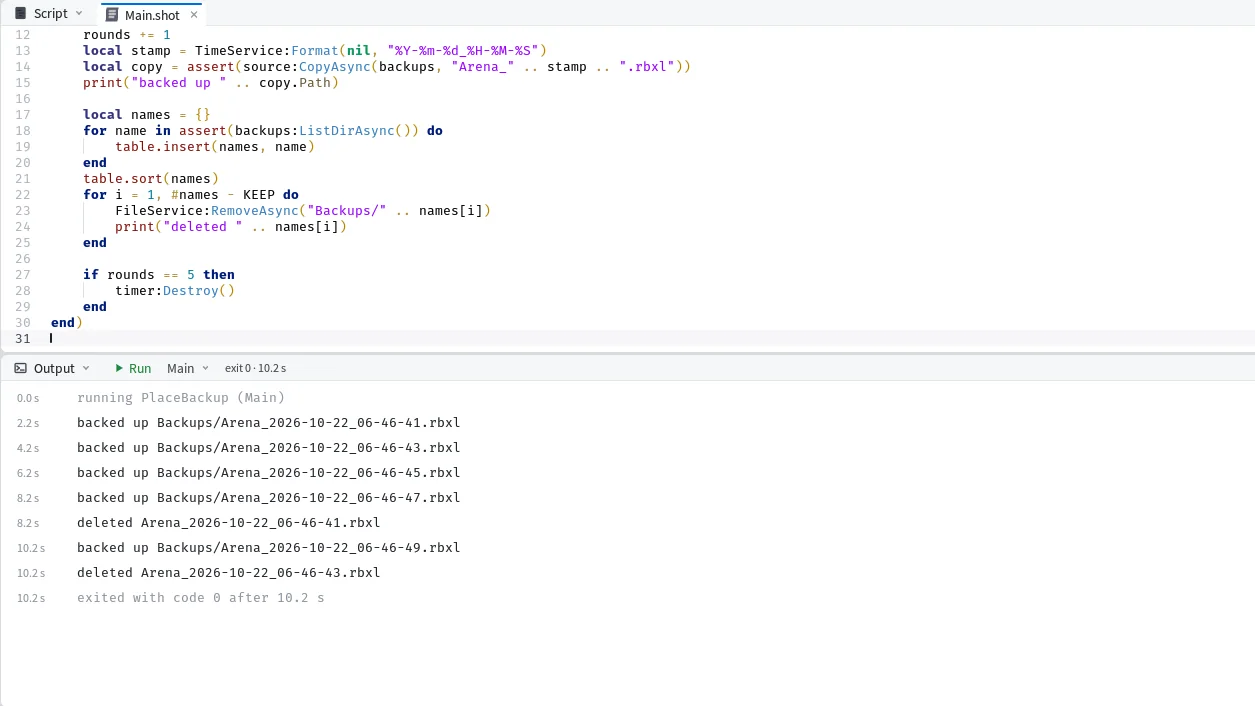
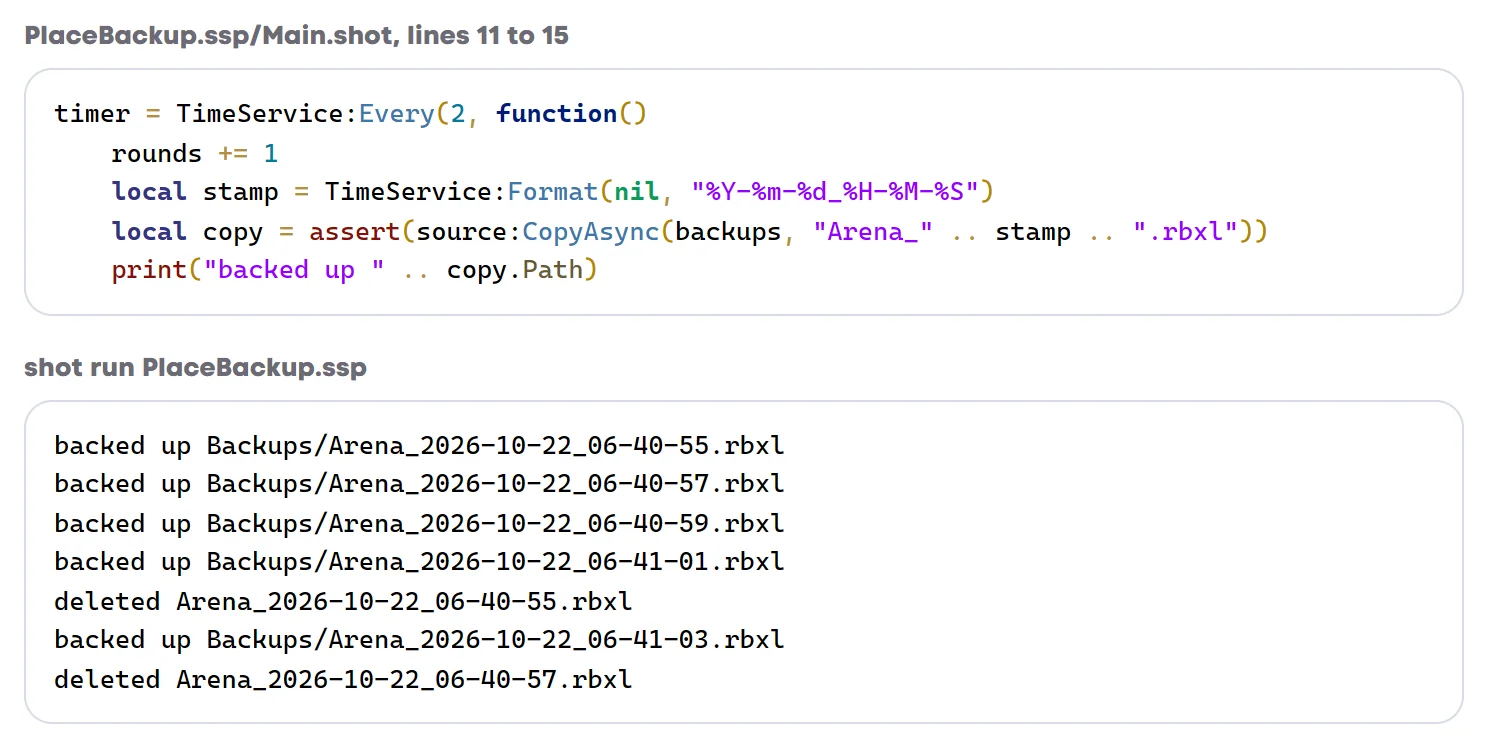
This is the whole program. It copies Places/Arena.rbxl into a Backups folder with the date and time in the name, keeps the newest three and deletes the rest. For the demo it backs up every two seconds and stops after five. For real you'd make it every ten minutes and leave it running while you work.
use FileService
use TimeService

local KEEP = 3
local source = FileService:GetPathHandler("Places/Arena.rbxl")
local backups = FileService:GetPathHandler("Backups")
FileService:MakeFolderAsync("Backups")

local rounds = 0
local timer
timer = TimeService:Every(2, function()
	rounds += 1
	local stamp = TimeService:Format(nil, "%Y-%m-%d_%H-%M-%S")
	local copy = assert(source:CopyAsync(backups, "Arena_" .. stamp .. ".rbxl"))
	print("backed up " .. copy.Path)

	local names = {}
	for name in assert(backups:ListDirAsync()) do
		table.insert(names, name)
	end
	table.sort(names)
	for i = 1, #names - KEEP do
		FileService:RemoveAsync("Backups/" .. names[i])
		print("deleted " .. names[i])
	end

	if rounds == 5 then
		timer:Destroy()
	end
end)
GetPathHandler gives you an object for a path, and CopyAsync on it copies the file into a folder under a new name and hands back the copy. The stamp is written year first, so sorting the names as text sorts them by time, and the oldest ones are at the front.
TimeService:Every runs a function every two seconds and gives back the timer. There's no exit call at the bottom. Once the timer is destroyed nothing is left running, and the program ends by itself.
shot run PlaceBackup.sspprints
backed up Backups/Arena_2026-10-22_06-40-55.rbxl
backed up Backups/Arena_2026-10-22_06-40-57.rbxl
backed up Backups/Arena_2026-10-22_06-40-59.rbxl
backed up Backups/Arena_2026-10-22_06-41-01.rbxl
deleted Arena_2026-10-22_06-40-55.rbxl
backed up Backups/Arena_2026-10-22_06-41-03.rbxl
deleted Arena_2026-10-22_06-40-57.rbxl
The run took 11 seconds, since the first backup comes one period in. Three backups were left in the folder.
Starting other programs
ProcessService starts a program with no window and hands you its output a line at a time, as it comes. This one asks git what changed in a folder:
use ProcessService

local git = assert(ProcessService:StartAsync("git", { "status", "--short" }, { Cwd = "Repo" }))
git.Line:Connect(function(line, stream)
	print(stream .. ": " .. line)
end)
print("exit code " .. tostring(git:WaitAsync()))
stdout: M a.txt
stdout: M b.txt
stdout: ?? new.txt
exit code 0The Line event gets each line with the stream it came from, and WaitAsync waits for the program to finish and gives its exit code. The tostring is there because the checker caught us. The first version printed "exit code " .. git:WaitAsync() straight, and shot check said:
GitStatus.ssp/Main.shot:7:23 TypeError: Expected this to be 'number | string', but got 'number?'WaitAsync is typed as a number that might be nil, and joining a nil onto a string would break at run time. It found that before anything ran.
Stopping a program stops the programs it started too, and KillAsync tells you how many it ended. A program you started from somewhere else can be picked up by its process id with AttachAsync.
Running it

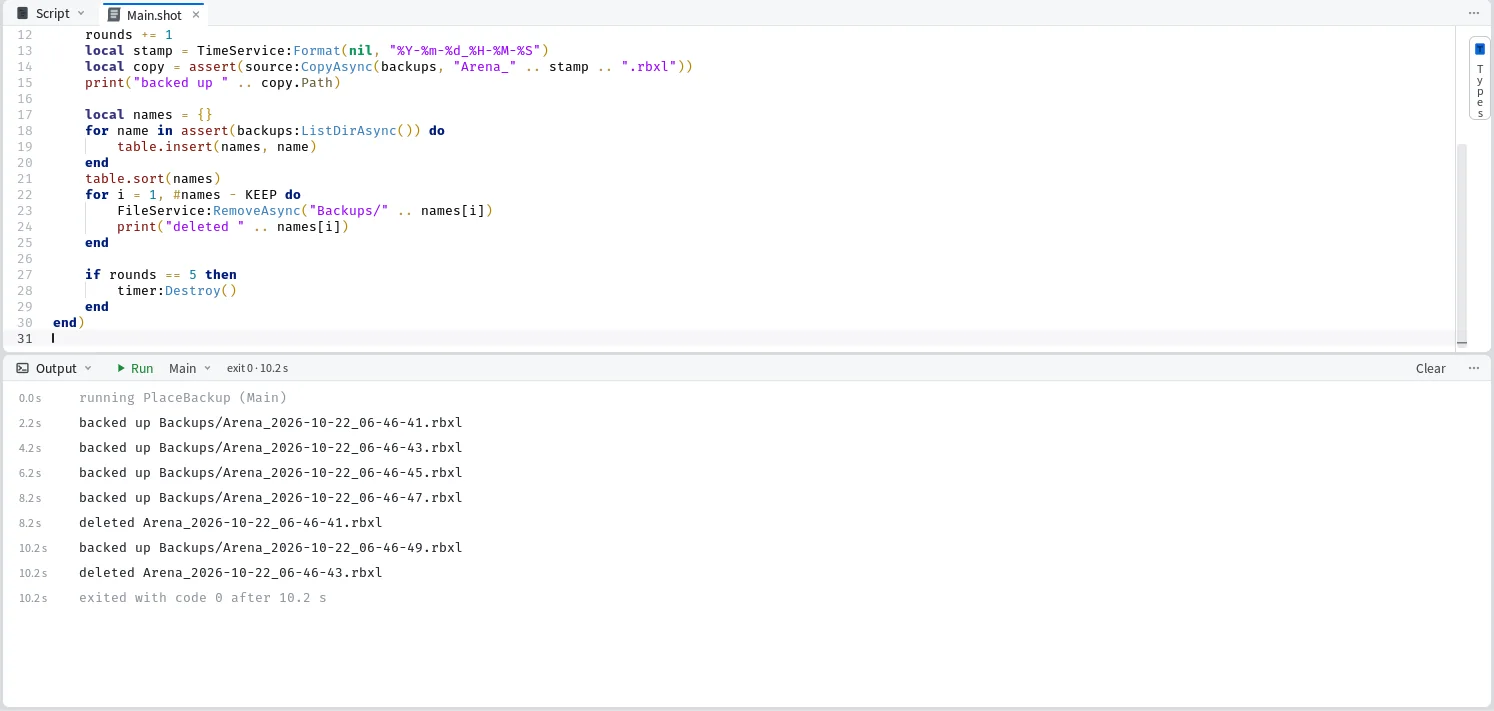
From a terminal it's shot run. In Mime it's F5, which runs what the window holds without writing the file and shows the output as it happens. Shift+F5 stops the program and everything it started.
If you know Luau from Roblox and none of this yet, the ShotScript tutorial starts from what you already know and goes step by step, fourteen steps in all.