
 ShotScript
Let another system in with an allow line
A ShotScript system is its system script and every script whose system line names it, and code outside the system reaches only its system script. When another system needs one member directly, an allow line at the top of that member lets it in. In a ShotScript tab in ShotScript Editor, a reach without it, a wrong allow line and an export that names no type are each underlined as you type.
Two systems
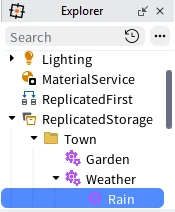
In a test place we built two systems under ReplicatedStorage.Town. Garden is a system script on its own. Weather is a system script with a member script, Rain, under it. ShotScript Explorer marks a system script with a gear and a member with an outline gear.

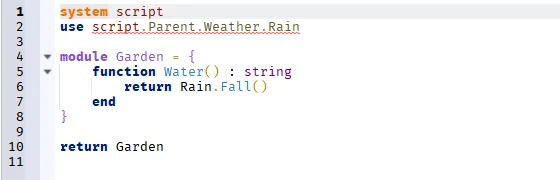
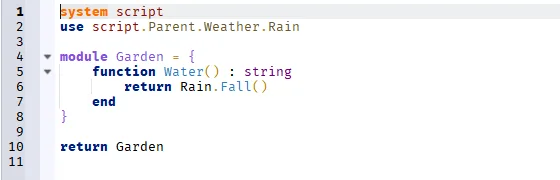
Garden uses Rain directly:
system script
use script.Parent.Weather.Rain

module Garden = {
	function Water() : string
		return Rain.Fall()
	end
}

return Garden
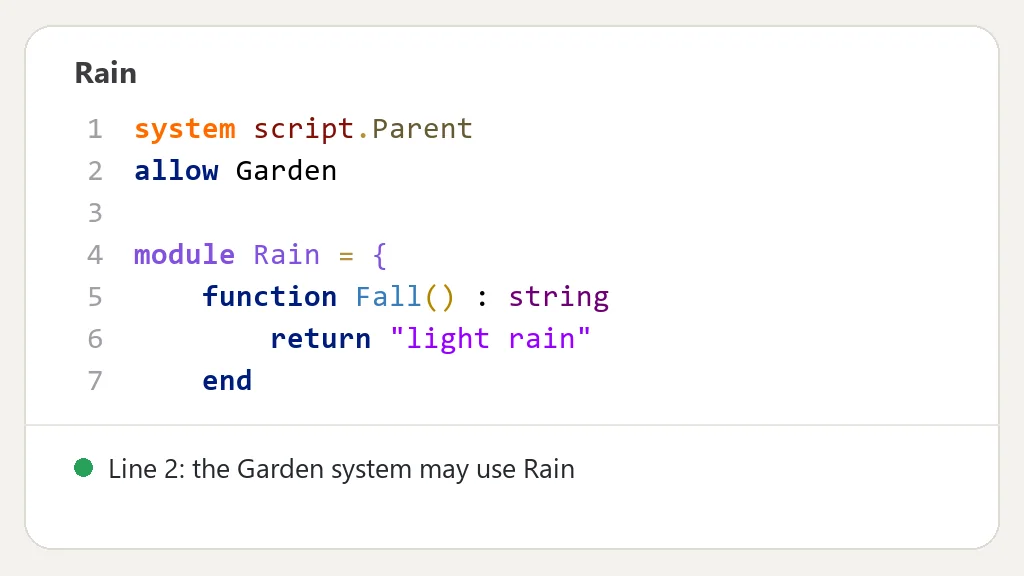
And Rain started as a plain module. Its first line names its system script, Weather, by its path:
system script.Parent

module Rain = {
	function Fall() : string
		return "light rain"
	end
}

return Rain
Every key below was pressed one at a time, and every row came from the open tabs as we typed.
A reach into another system is underlined
Garden's line 2 had a red wavy line, and Problems listed one ShotScript Error on it: "Rain is inside the system Weather, whose system script is ReplicatedStorage/Town/Weather.shot, and code outside a system reaches only its system script: use Weather and reach Rain through what it hands out".



One line in Rain lets Garden in
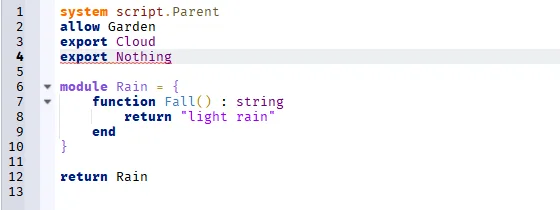
In Rain we clicked at the end of line 1, pressed Enter and typed allow Garden. Moments later the error was gone from Problems, and back in Garden's tab line 2 had no wavy line any more. Garden's own text never changed.

A wrong allow line is underlined
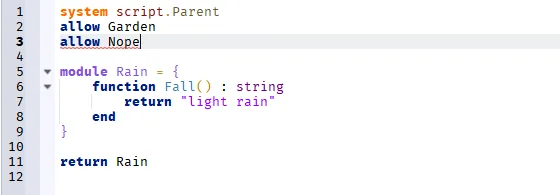
Under it we typed allow Nope, naming a system the place doesn't have. The line got a red wavy line, and Problems listed a ShotScript Error that says what to do: "no system Nope in this place: check the name (a system is named by its system script's name), or remove the line".

Exports go to the systems Rain allows
An export line in a member hands a type to the systems the member allows: a system type of its system, or one of the member's own items. Weather's system script has one system type, system type Cloud = string.
We took allow Nope back out of Rain and put export Cloud on line 3, this time changing Rain's text in one go rather than key by key. It got no wavy line and no row in Problems.
Then we added export Nothing on line 4, naming no type at all. That line got a red wavy line, and Problems listed one ShotScript Error on it that says what an export in a member is for: "Nothing is no type of the system Weather and not Rain's own item, so this export hands the systems Rain allows nothing: name a system type of Weather or Rain's own item, or remove the line".