

 ShotScript
Give each ember its own size with an envelope in ShotScript Editor
A particle's Size in Roblox is a curve of keypoints, and each keypoint takes a third number, the envelope. With an envelope of 0.4 on a Size of 0.6, each particle gets its own size anywhere from 0.2 to 1 stud. ShotScript Editor's Properties sets it in Size's sequence editor.
One fire, one size
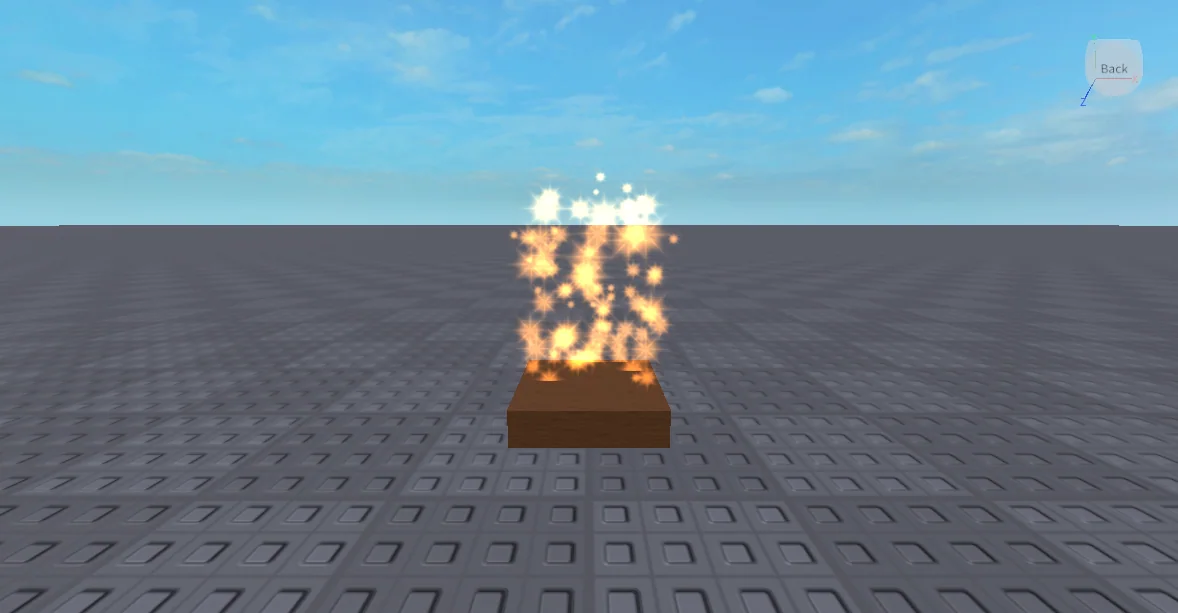
We made a small fire in a new Baseplate: a Part called Campfire in Workspace, holding a ParticleEmitter called Embers with a Size of 0.6. Every ember came out the same size.

The sequence editor
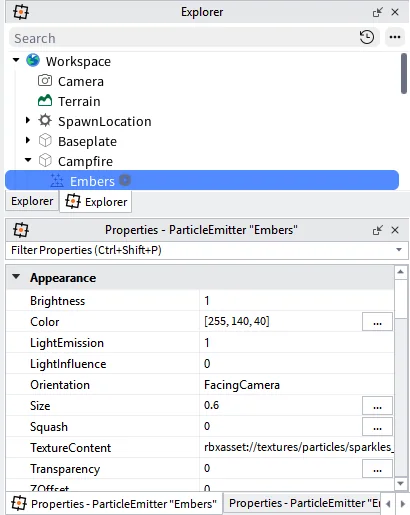
We picked Embers in ShotScript Explorer. ShotScript Properties showed its Size as 0.6, one number for a size that stays the same all through an ember's life, with a ... button at the right of the row.

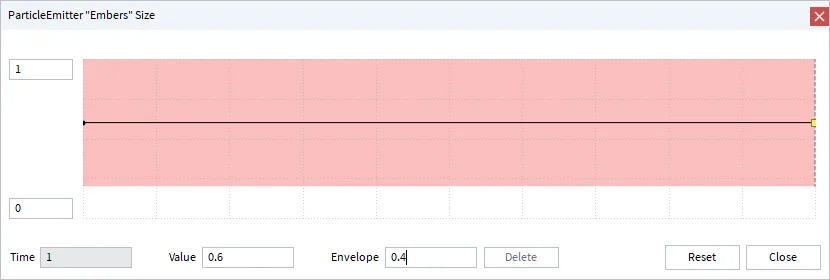
The button opened the sequence editor, a window titled ParticleEmitter "Embers" Size. It draws the curve from time 0 to time 1 with a keypoint at each end, and two boxes at its left hold the graph's range, 1 at the top and 0 at the bottom. Under the graph are Time, Value and Envelope for the picked keypoint, then Delete, Reset and Close.
Type the envelope
We picked the first keypoint, which turned yellow, typed 0.4 in Envelope and pressed Enter. A shaded band opened at that end, narrowing to the other. We did the same on the last keypoint, and the band ran the full width, from 1 down to 0.2: 0.4 on each side of the line at 0.6.

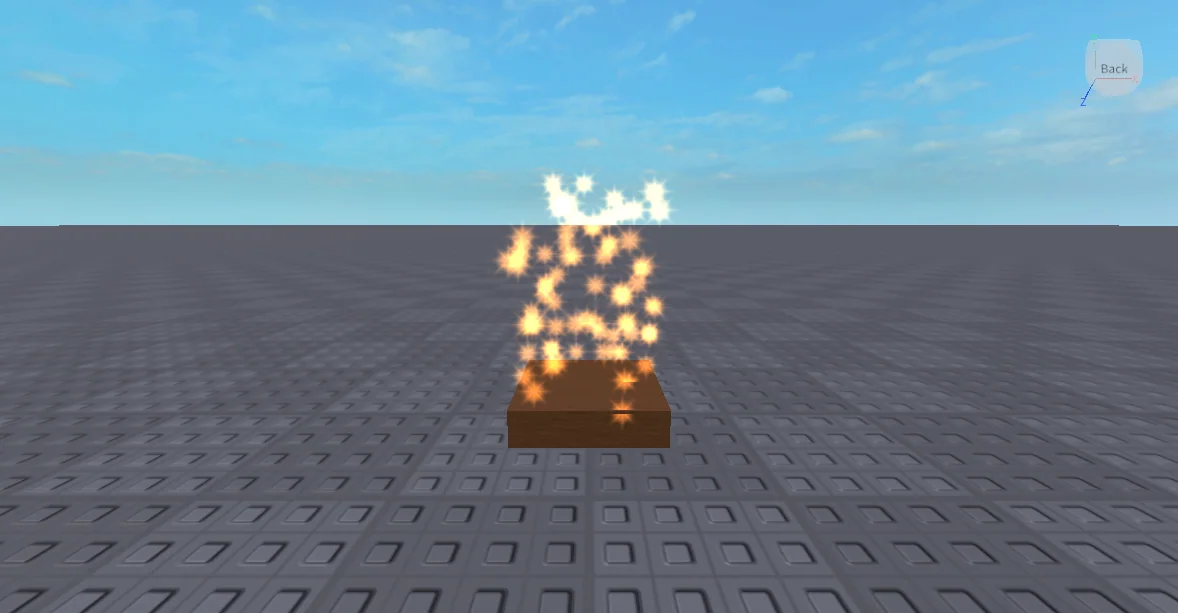
We pressed Close, and the embers came out in sizes of their own, from specks to big stars.
Undo, one keypoint at a time
After Close the Size row read 0 0.6 0.4 1 0.6 0.4: the time, value and envelope of each keypoint in turn. Each Enter in Envelope had been a step of its own, so one Ctrl+Z took back only the last keypoint's envelope, and the row read 0 0.6 0.4 1 0.6 0.
An envelope only spreads the sizes. Each ember still follows the curve's own line, so a Size that starts big and ends small keeps doing that, with every ember picking its own distance from the line.