

 ShotScript
 Mime
Mimeshot check got stricter, and it tells you what to type
Most of what changed in shot check this week is the line it prints when something's wrong. We wanted every message to point at the fix, and when there's only one sensible fix, to spell it out so you can copy it.
To see how far that got, we made a handful of small projects, put one real mistake in each, and ran them through two builds of shot: the one from 19 Oct and the one we're on now.
One letter off
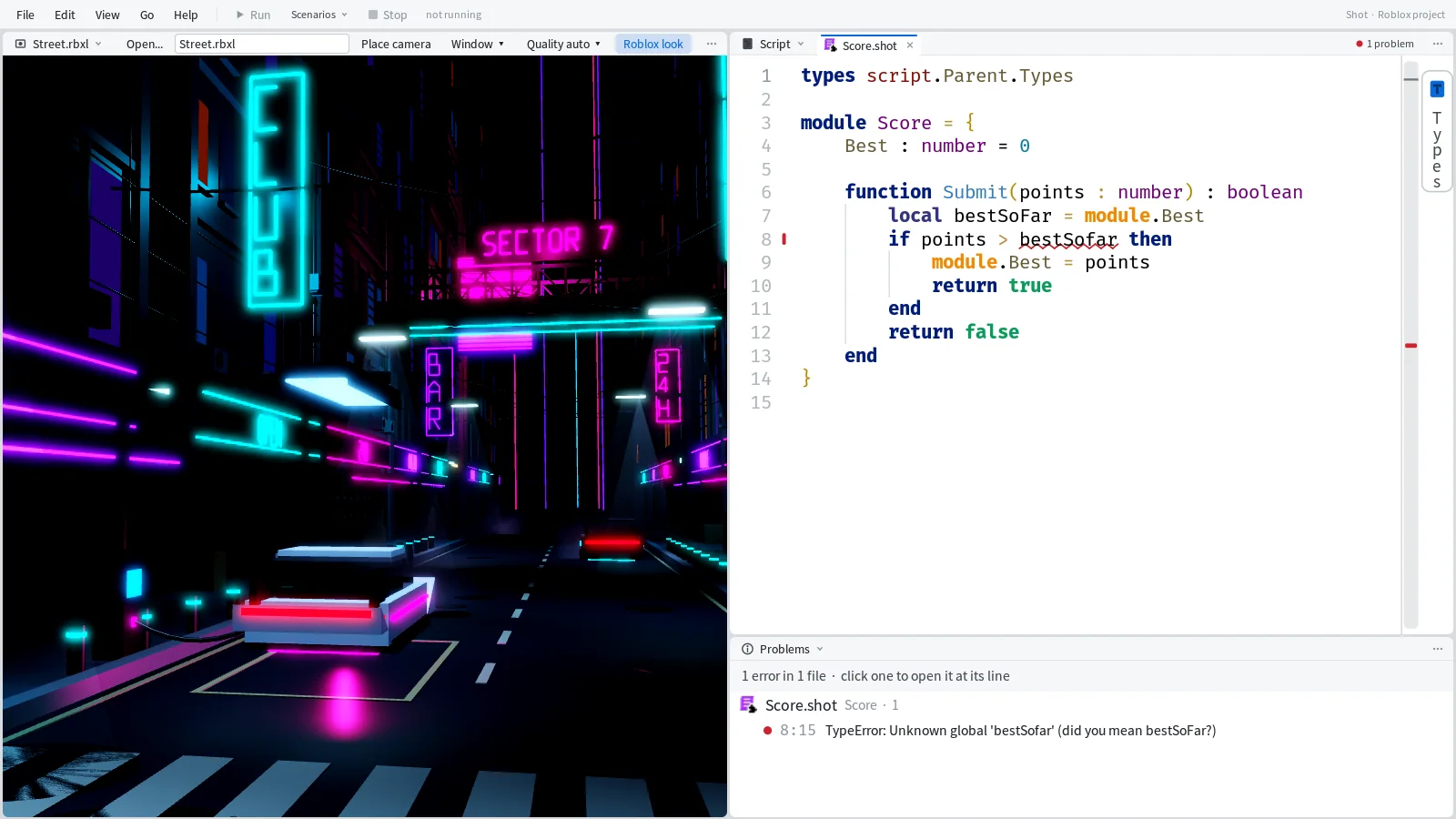
Most mistakes in a day of coding are typos. Here's a module with one in it:
module Score = {
	Best : number = 0

	function Submit(points : number) : boolean
		local bestSoFar = module.Best
		if points > bestSofar then
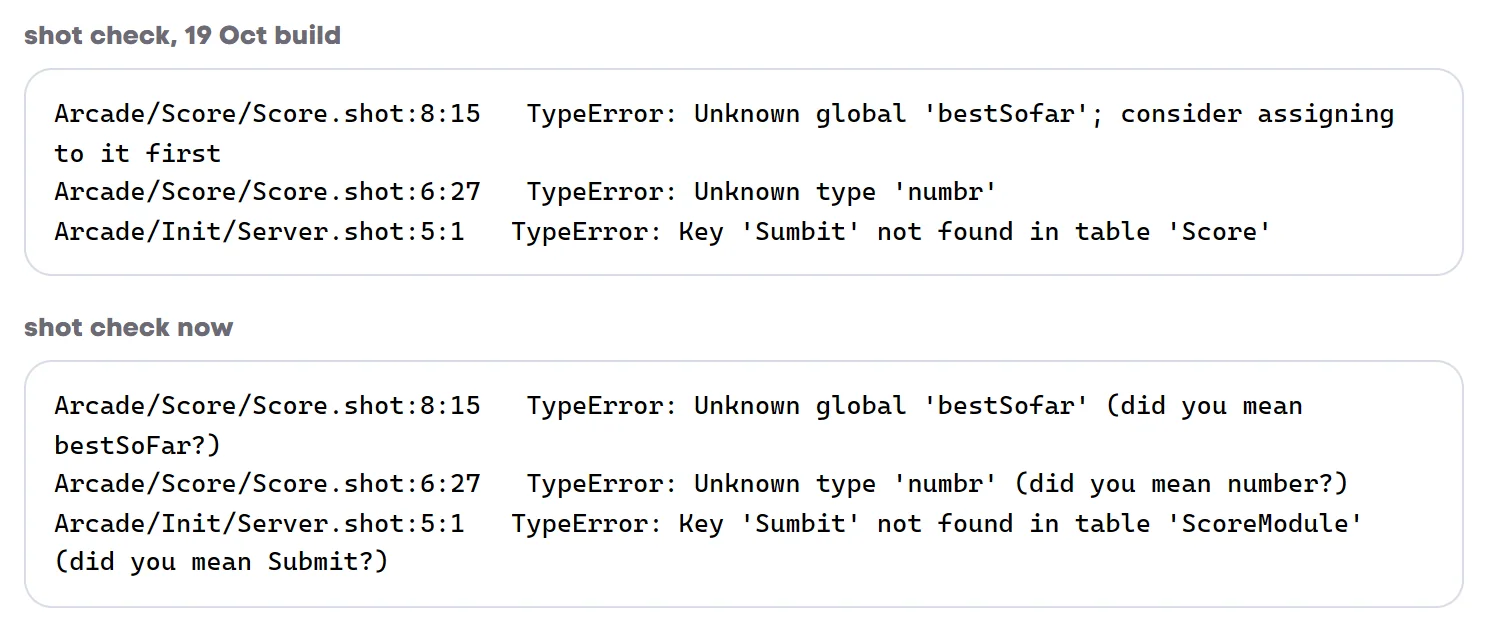
On 19 Oct, shot check said bestSofar was an unknown global and suggested assigning to it first, which is the one thing you shouldn't do with a typo. Now it ends with the name you meant. Types and members get the same treatment.

Errors that write the fix
Some mistakes have exactly one fix, and for those the message now holds the code to type.
Calling a method with a dot is the classic one. This line is from a System project:
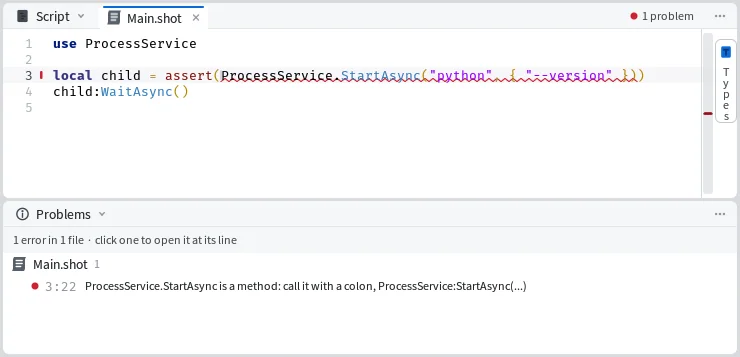
local child = assert(ProcessService.StartAsync("python", { "--version" }))The 19 Oct build passed it with 0 errors. Now you get:
Tool.ssp/Main.shot:3:22 ProcessService.StartAsync is a method: call it with a colon, ProcessService:StartAsync(...)Get a service's name wrong and check finds the nearest real one, plus the use line that brings it in. On 19 Oct this was another "consider assigning to it first".
Tool.ssp/Main.shot:1:14 Unknown global 'Files': a System project has no service Files; the nearest is FileService (use FileService)Paths get the same help. Write a path the way a Roblox project would, in a System project, and check gives you the System way:
Tool.ssp/Main.shot:1 @shot is the Roblox target's: in a System project a path from the project root starts with root, like use root.Data.GreeterMime's Problems pane shows these exact words, the code to type included, so the editor and the command line say the same thing.

Braces
Classes and modules in ShotScript sit between { and }, so a brace in the wrong place is easy to make. On 19 Oct, a stray } and a line of code after a closing } both got the same parser error, "Expected identifier when parsing expression". Now each one gets a sentence of its own:
Arcade/Lamp/Lamp.shot:18   } closes nothing: there is one } too many, or its { was removed
Arcade/Lamp/Lamp.shot:17   class Lamp: nothing comes after its closing } on that line; start `local presses = 0` on a line of its own
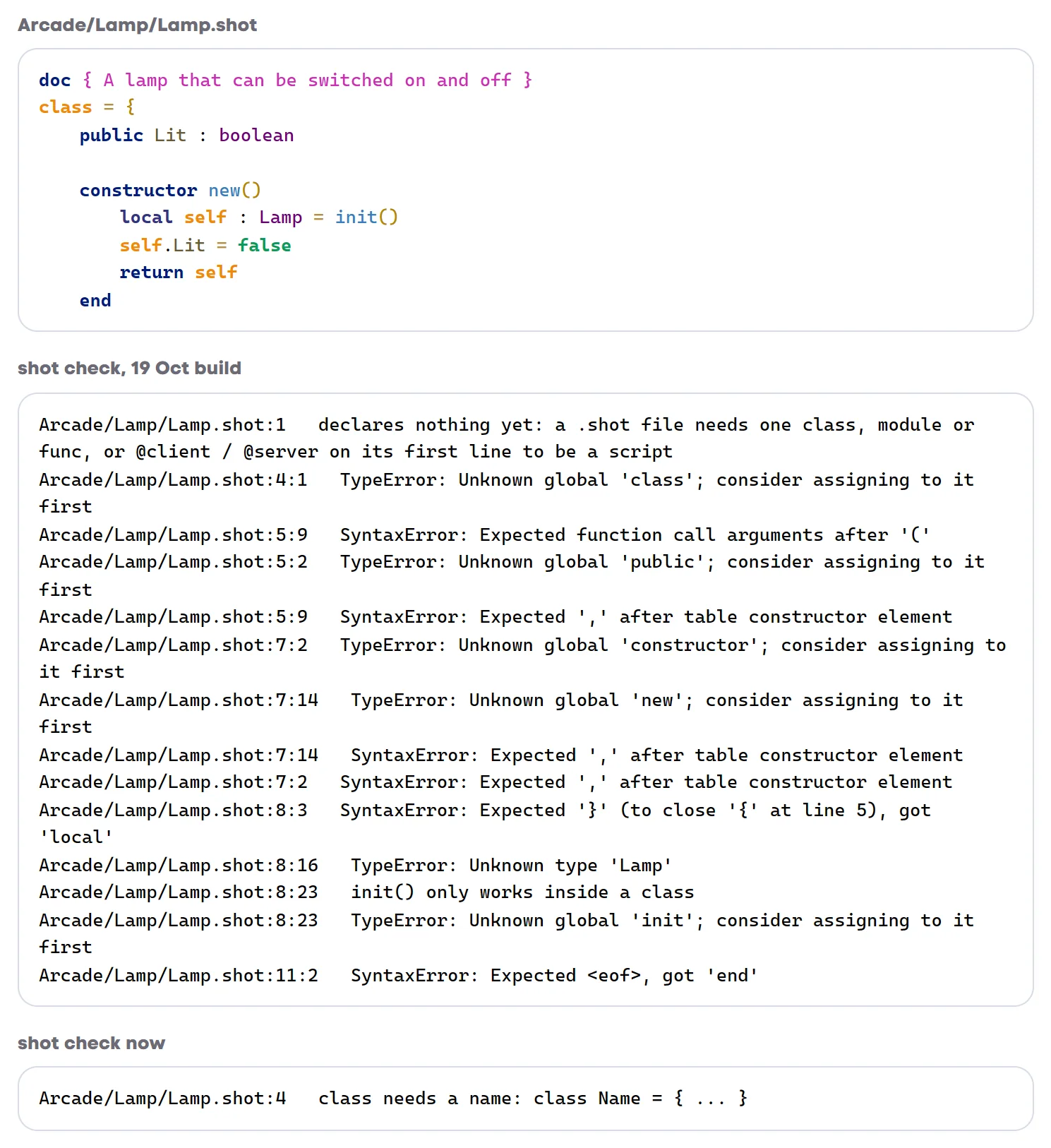
The biggest difference is a class with no name. We wrote class = { at the top of a small Lamp class. The 19 Oct build gave fourteen errors, a mix of syntax errors and complaints that class, public and constructor were unknown globals. Today's build gives one line.

Strict everywhere
Every script is now checked in Luau's strict mode, with no --!strict line at the top. A local that starts as a number and later gets a string is an error straight away:
local count = 0
count = "none yet"
Arcade/Init/Server.shot:4:9 TypeError: Expected this to be 'number', but got 'string'A plain .luau file can still opt out with --!nonstrict. Check leaves a note on that line so the opt-out doesn't get forgotten:
Arcade/Utils/Tally.luau:1 note: this file opts out of strict checking (--!nonstrict); remove the line to check it strictTypes where you use them
A folder's types live in its Types.shot. That's still where they end up, but you can now write a type right beside the code that needs it, with define public type:
define public type Limits = {
	Max : Coins,
	Min : Coins,
}
The next check copies it into the folder's Types.shot and tells you it did:
define: rewrote the generated part of Wallet/Types.shot (1 type; edit each at its define line)The copy goes under a marker line, with the file it came from:
--[[ generated from the define lines: edit each type at its define, never below #6755726a ]]
-- from Wallet/Wallet.shot
public type Limits = {
	Max : Coins,
	Min : Coins,
}
A mistake in the type is reported at the define line, where you wrote it. Misspell Coins and you get Arcade/Wallet/Wallet.shot:6:8 TypeError: Unknown type 'Coinz' (did you mean Coins?). If someone edits the copy by hand anyway, check sends them back to the original:
Arcade/Wallet/Types.shot:8 this line is generated from the define lines and was edited by hand: edit Limits at its define, Wallet/Wallet.shot:4, then delete this part (line 4 down) and shot check writes it againModule types get their own name
A module's type used to share the module's name. Now module Result makes the type ResultModule, which frees up Result for a type of its own. This checks clean, with the module, a Result<T> type and a parameter that takes the module, all in one folder:
module Parse = {
	function Number(text : string, results : ResultModule) : Result<number>
		local n = tonumber(text)
		if n then
			return results.Ok(n)
		end
		return results.Fail("not a number: " .. text)
	end
}
You can see the new names in the messages too. The Sumbit typo above is reported as a missing key in ScoreModule, where the 19 Oct build said Score.
Long signatures
A parameter list spread over several lines used to shift the errors after it off their real lines. Now the line and column are right. We put an error in the body of a function whose parameters take six lines, and check pointed at line 17, column 3, exactly where it was.
Renames
shot rename follows a type everywhere it's used, from imports to the names inside doc comments. We renamed a type called Reason to Cause in a project of five files, and it listed every change it made:
renamed Reason to Cause in 8 places in 5 files
  Init/Server.shot:6     file code        local why : Wallet.Cause = "Pickup"
  Market/Shop.shot:3     doc              doc { Sells things; every sale is the `Cause` "Shop" }
  Market/Shop.shot:6     Shop.Sell        local why : Cause = "Shop"
  Market/Types.shot:1    import           import Wallet, Cause from @shot.Wallet
  Wallet/Types.shot:2    type             public type Cause = "Pickup" | "Shop"
  Wallet/Wallet.shot:3   doc              doc { The coins one player owns; each change keeps its `Cause` }
  Wallet/Wallet.shot:6   Wallet._history  internal _history : {Cause}
  Wallet/Wallet.shot:16  Wallet.Add       public Add(amount : number, reason : Cause)
The check right after it found 0 errors.