
Render and export
Send it out. Render an MP4, a ProRes or see-through WebM master, a PNG for every frame, or a sequence kept inside the project.
File > Render video opens the render dialog, which times a few frames and says about how long the render will take. A finished MP4 or PNG render opens in a Renders tab.
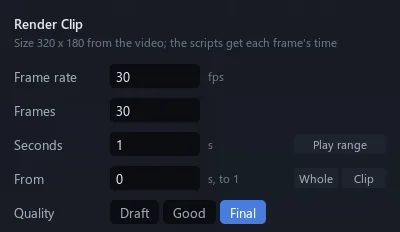
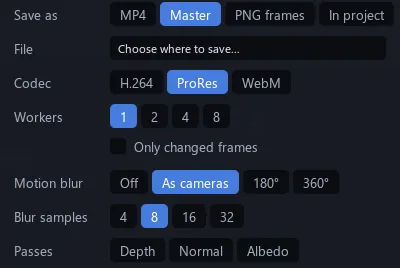
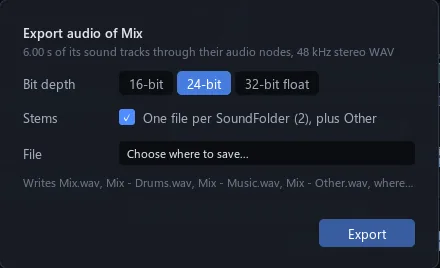
| Quality | Draft (Solid), Good (traced, 24 samples), Final (each camera's own) |
| MP4 | H.264 with AAC sound; Standard, High, Highest |
| Master | H.264, ProRes 422 HQ, or WebM with transparency |
| PNG frames | One PNG a frame; float passes as EXR |
| In project | An image sequence in the project |
| Passes | Depth, Normal, Albedo |
| Motion blur | As cameras, 180°, 360°; 4 to 32 samples |
| Workers | 1, 2, 4 or 8 at once |
| Only changed frames | Redraw only the frames an edit touched |
| Audio | WAV, 16, 24 or 32-bit float; one file per sound folder |
Check the motion first
See your cut moving in seconds, before the real render.
Quick preview makes a rough MP4 of the video, or of its play range, at preview size and leaves the project untouched.
Start anywhere
Render from the middle and it matches a render from the start.
A render from a later frame runs the earlier ones first without drawing them. A script that doesn't compile stops the render and names its line.
Without the window
Render from a terminal; no window opens.
StrokeEngine.exe --render project.stroke --video Clip --from 0 --to 149 --out frames --quality good --passes all --audio sound.wav