
Run and Problems
Press F5 and watch your prints, warnings and errors come in as they happen. Problems shows the mistakes before you run at all.
Run and Stop sit in the top bar, and the Output pane's header has a Run button of its own. The Problems pane sits beside Output and checks the whole project as you type.
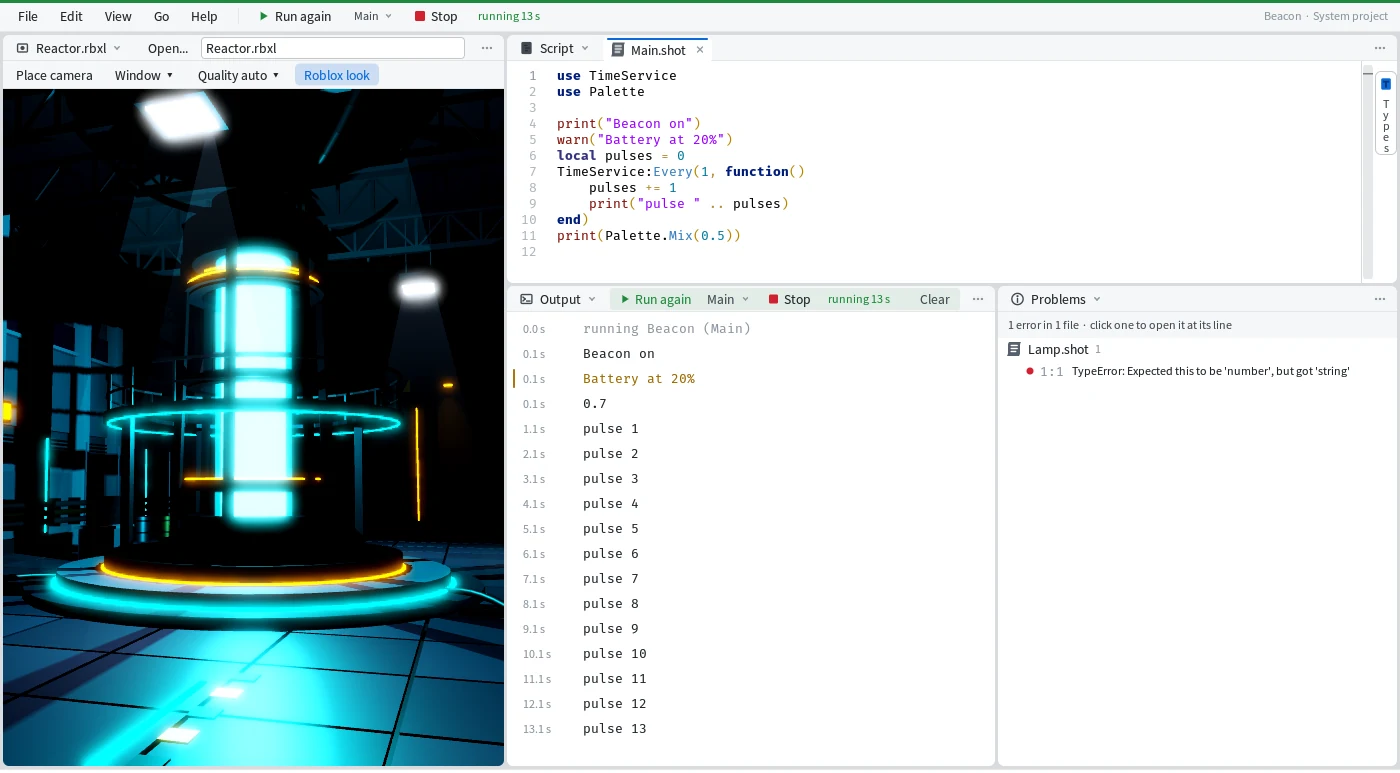
Run it
Press F5 to run, Shift+F5 to stop, and F5 again to start over.
Run takes your code as the Editor holds it, typing included, so there's nothing to save first. While it runs, the top bar counts the seconds ("running 24 s"), the window's title reads "Beacon - Running - Mime" and Run turns into Run again (F5). When it ends, the top bar keeps the result: "stopped · 29.7 s", or "exit 1 · 0.1 s" in red after an error.
Pick what F5 runs
Run the export, one scenario or all of them.
The menu beside Run picks which. The export is the script F5 runs; to run another one, right-click it in the Explorer and pick Make this the export (The window, MAKE THIS THE EXPORT). Its row then shows a small arrow after its name, and the status bar says "the export is Broken now (it was Main)".
An Impostor project has no export, so F5 runs its scenarios. Playing the place itself still happens in Studio.
Read the output
Every print shows up the moment it happens, stamped with the seconds since the run began.
Warnings are yellow and errors are red. The file and line in an error, like Broken.shot:2, is a link that opens the script in the Editor at that line:
0.0 s  running Beacon (Broken)
0.1 s  Checking the lamp
0.1 s  error: Broken.shot:2: Lamp missing
0.1 s    at Broken.shot:2
0.1 s  exited with code 1 after 0.1 s
Clear empties the pane, and each run starts with a clean one. Change a script while it runs and the Output's header says "edited since this run started", so you know the run is older than your code. F5 then starts over with "stopped the previous run (26.0 s)".
Catch it as you type
Most mistakes show up before you ever press F5.
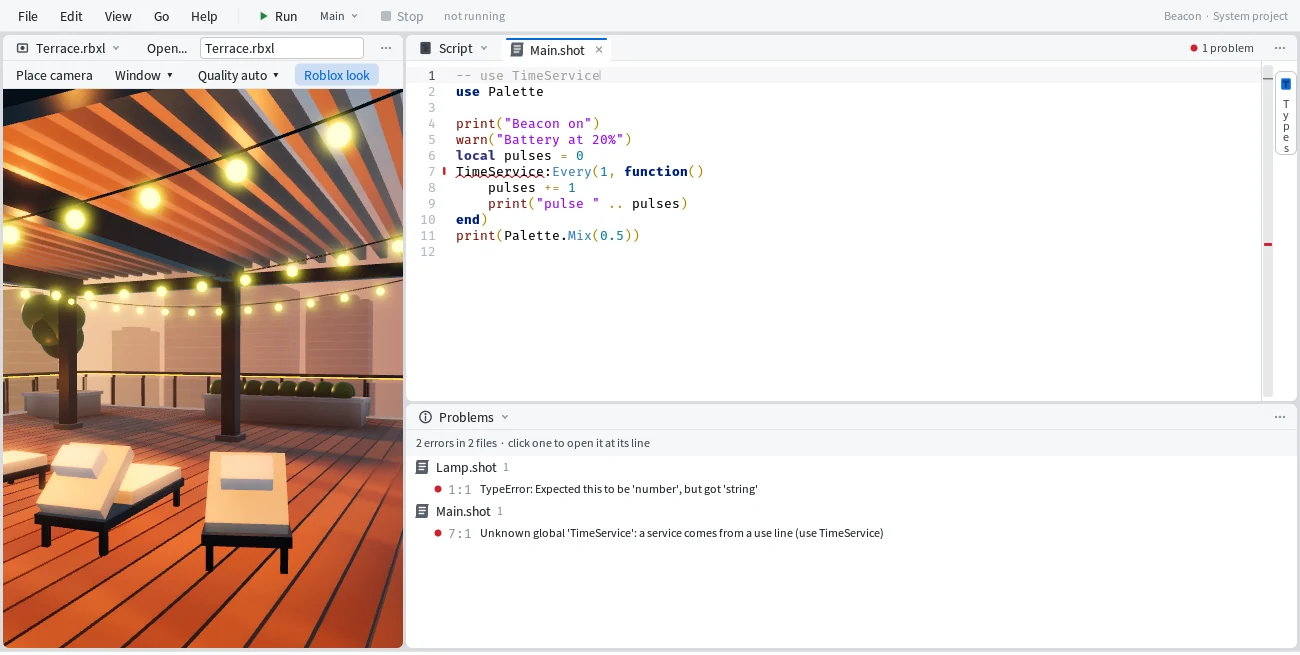
The Problems pane lists every error and warning in the project, by script, each with its line and column. Click one to open the script there. In the Editor the mistake gets a red underline and a mark by its line number, and both go away when you fix it. Comment out use TimeService and Problems reads:
7:1 Unknown global 'TimeService': a service comes from a use line (use TimeService)These are the words shot check prints. The status bar counts the project's problems ("2 problems") and a click there opens the pane. Each script's header counts its own; click that count for its list and Show the Problems pane.
Up and coming
- Play a whole Roblox place in Mime, server and client, without Studio, on a copy that is never saved.
- Select, filter, copy and fold in Output.
- A command bar, to run one line of code in the project.