
Physics and IK
Drop it, drape it, pose it. Crates fall and stack, capes flap in the wind, and hands reach for whatever you point at.
Parts start Anchored, unlike Roblox. Play mode and renders simulate, Edit mode never does, and Stop puts every part back.

| Fall | Properties > Physics > untick Anchored, then F5 |
| Cloth | Right-click a MeshPart > Insert > Cloth; Pin, Stiffness, Bend, Wind |
| Keep it | The scene's Bake: every frame, saved in the project |
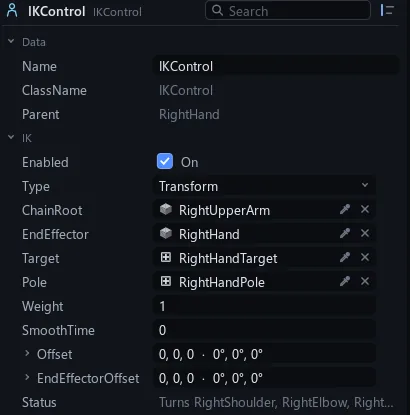
| Reach | Select a hand > Insert > IKControl, then move its Target |
| Hold | Two parts > right-click > Join with WeldConstraint |
| Follow | FollowConstraint; key Weight 0 to 1 to hand over |
| Look | LookAtConstraint on a head |
| Ghosts | Onion skin: Viewport |
Same fall, every time
Scrub back or render on another machine: every frame matches.
The simulation steps on a video's frames, never the wall clock.
Pose by pointing
Drag a hand's target and the arm follows.
IK and constraints run every frame after keys and rig clips, and the project keeps the pose you set.
Keys
F5Simulate
ShiftF5Stop, parts back
CtrlQStart over
2, GMove a target