
2D layers
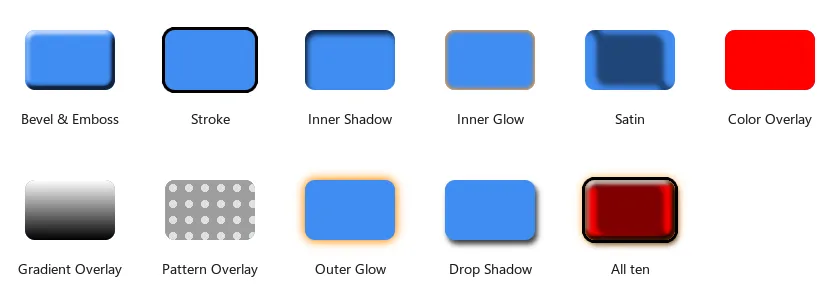
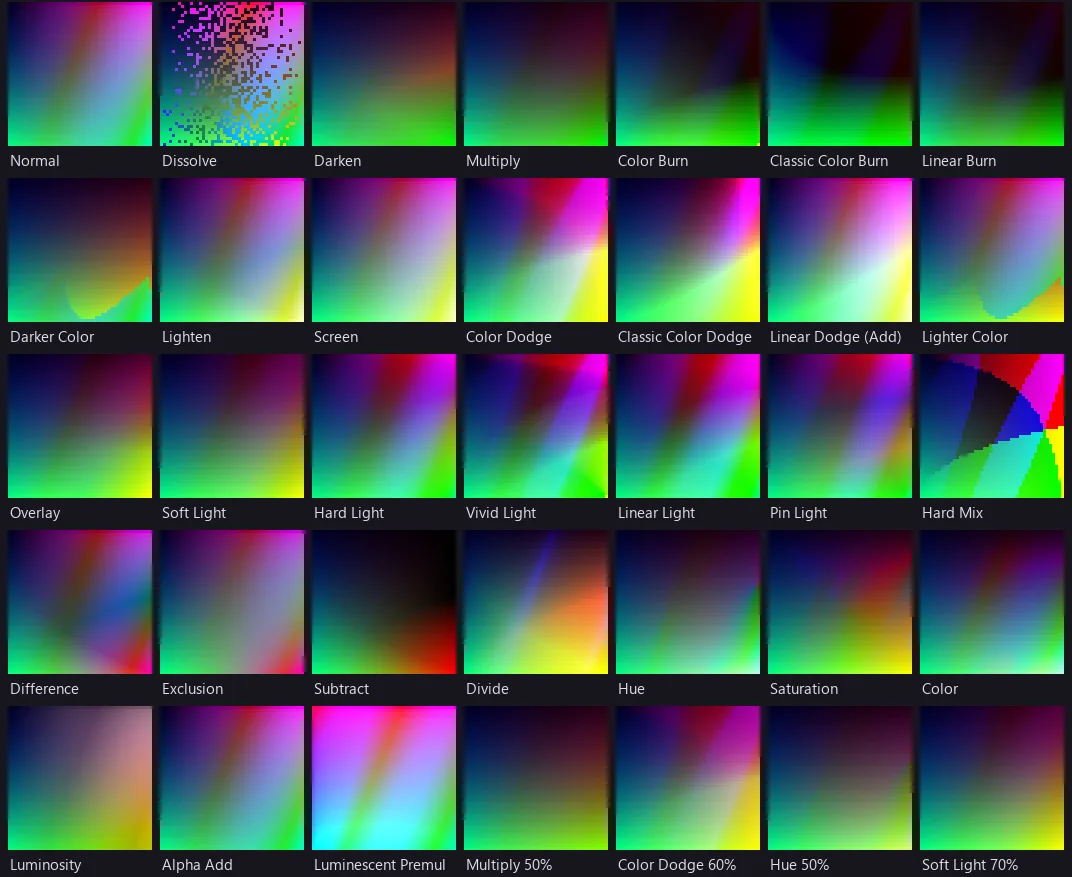
Give your titles the Photoshop treatment: 35 blend modes and ten layer styles, from drop shadows to bevels, on text, shapes and pictures.
A 2D layer is a layer of a video, or an Image2D, Text2D or Frame2D drawn over a scene. Its BlendMode sets how it mixes with what is below it.
Every kind of layer
Set titles in any font, draw shapes, grade everything below, or let code type itself in.
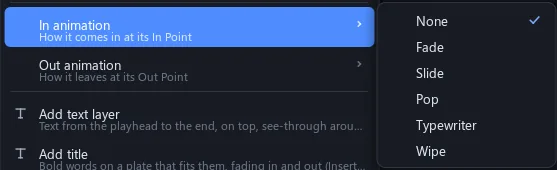
In and Out animations are applied as a layer is drawn and never written into its properties, so your keys and scripts stay as they are.
| Text | Any installed font or a font file, weight, size, alignment, wrap, line height, a plate; grows to fit |
| Shape | Rectangle, rounded rectangle, ellipse; fill and stroke |
| Adjustment | Everything below, through a Grade node: Exposure, Contrast, Saturation, Lift, Gamma, Gain, Tint, Vignette |
| Code screen | Luau that types itself in, keyed by Progress |
| In and Out | None, Fade, Slide, Pop, Typewriter, Wipe |
| Masks | Rectangle, ellipse, path; feather; add, subtract, intersect; up to 8 |
| Track matte | Alpha, Alpha Inverted, Luma, Luma Inverted; any layer, pass or picture |
| In a scene | Image2D, Text2D, Frame2D over the 3D picture |
Stack the styles
Pile shadows, glows, strokes and bevels on one layer, two strokes if you like.
Each style is a child instance of its layer, drawn in Photoshop's order: Drop Shadow lowest, Bevel on top. Fill Opacity fades the layer's own pixels and leaves its styles.
Blend modes 35
| Normal | Normal, Dissolve |
| Darken | Darken, Multiply, Color Burn, Classic Color Burn, Linear Burn, Darker Color |
| Lighten | Lighten, Screen, Color Dodge, Classic Color Dodge, Linear Dodge (Add), Lighter Color |
| Contrast | Overlay, Soft Light, Hard Light, Vivid Light, Linear Light, Pin Light, Hard Mix |
| Difference | Difference, Exclusion, Subtract, Divide |
| Colour | Hue, Saturation, Color, Luminosity |
| Cut | Stencil Alpha, Stencil Luma, Silhouette Alpha, Silhouette Luma |
| More | Alpha Add, Luminescent Premul |
Layer styles 10
| Bevel & Emboss | Inner, Outer, Emboss, Pillow; Smooth, Chisel Hard, Chisel Soft |
| Stroke | Outside, Inside, Center; colour, gradient or pattern |
| Shadows | Inner Shadow, Drop Shadow |
| Glows | Inner Glow, Outer Glow; Softer or Precise |
| Overlays | Color, Gradient, Pattern |
| Satin | 12 contours |