
Open a project
Start an empty project, save it as Pedestal.stroke, and lay the windows out the way you work.
In development, not released yet.
You'll learna new project, the windows, split, join, float and dock, saving.
Start empty
The first time, Stroke opens an empty project; after that, the project you had open.
- Open Stroke Engine.
- Press CtrlN (File > New project) for an empty project.
- Press CtrlShiftS (File > Save as…) and save it as
Pedestal.stroke.
The empty project holds one scene, Studio, with a Camera, a Baseplate and a Light (a NullObject holding a PointLight), plus the built-in meshes and five sample materials. The first launch also adds a Modules folder of ready-made scripts.
A new project starts in Rendered: the top bar's Rendered half is lit.
The windows
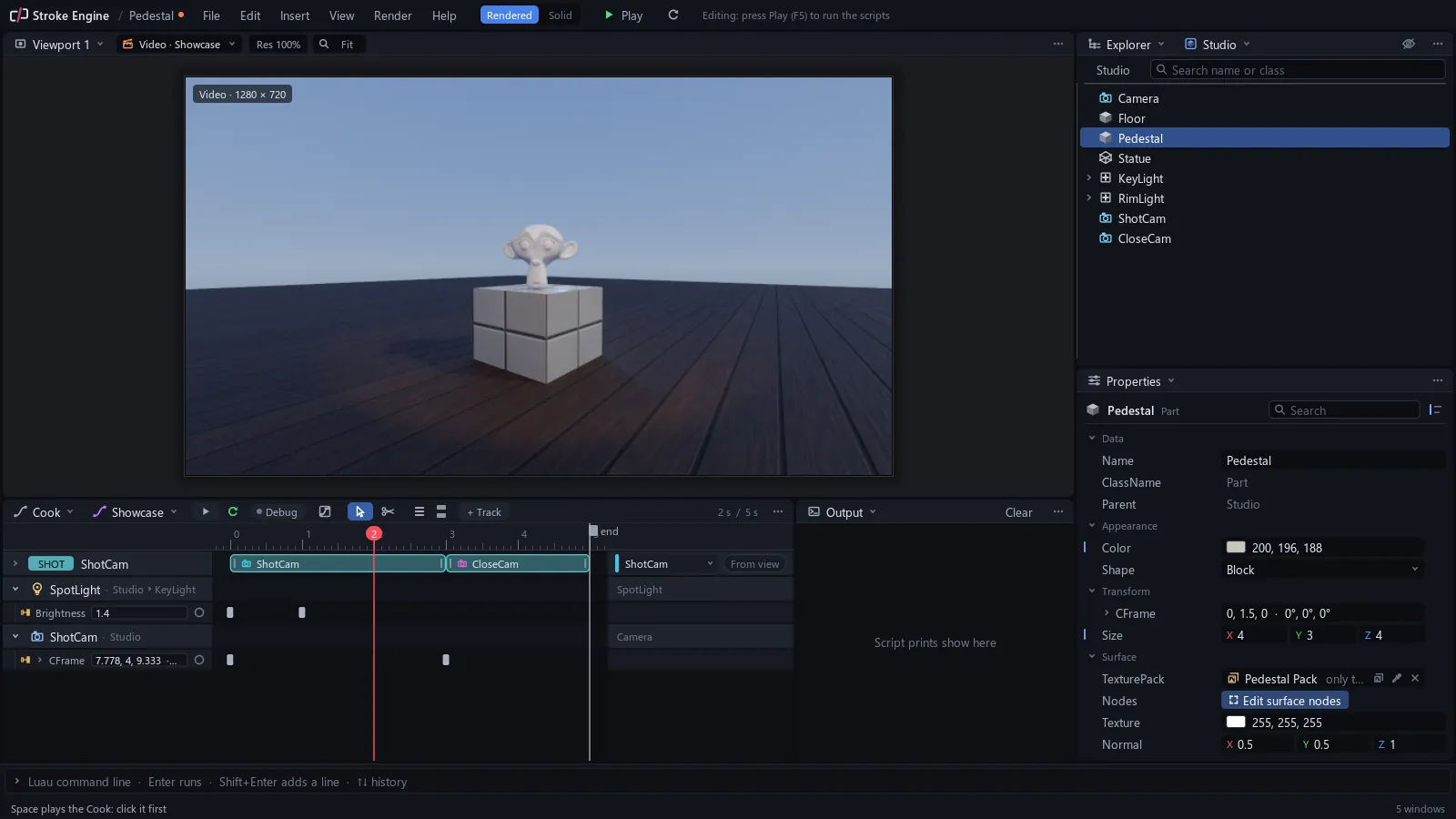
- Viewport: a scene, through a free view or a camera.
- Explorer: the tree under Root.
- Properties: the values of what you selected.
- Cook: tracks, keys and clips on a timeline.
- Output: prints, warnings and errors.
- Script: the Luau editor.
- Docs: every class, property and global.
The Explorer is where you select, rename and reparent anything in the project.
You know this asBlenderOutliner
The first layout puts a Viewport over Cook and Output, with Explorer over Properties on the right. View > Window opens any other; Docs opens as a tab of the bottom window. View > Reset layout brings this layout back.
Split, join, float
Drag any corner of a window inward (it shows two small diagonal marks and a cross pointer) to split it in two, or into its neighbour to join them. Drag a header out of the app and the window floats; drag it onto an arrow and it docks.
You know this asBlenderarea split and join
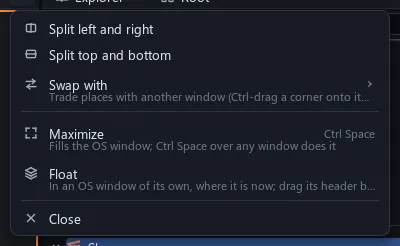
Right-click a header for the same moves as a menu. Each one undoes like any edit.
Save it
CtrlS saves, and the top bar says Saved Pedestal; an orange dot by the name means unsaved changes. Saves keep your earlier versions (about the last five, spread over time) in File > Open previous version.
Try it File > Open example opens a demo project to explore; File > Open recent brings Pedestal.stroke back.